



Getting started with your
XP-Pen Artist display
1/11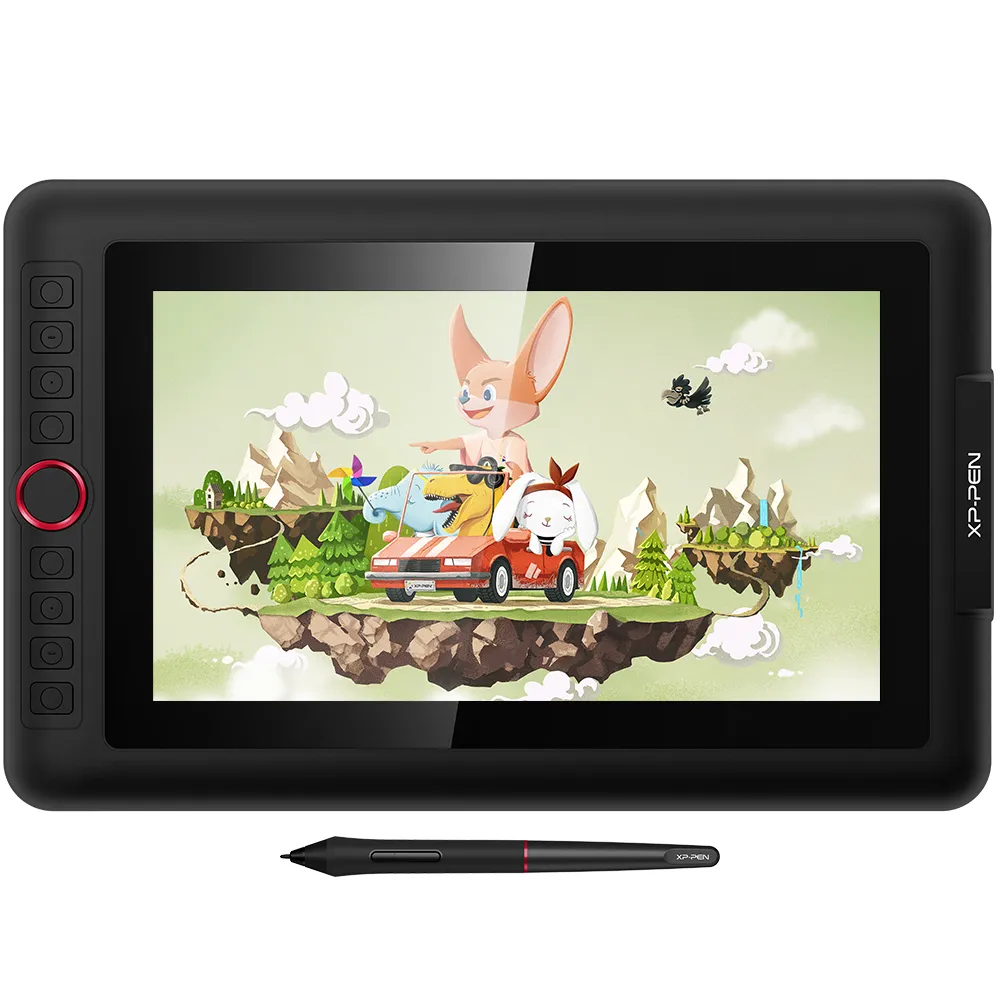
![https://resource.xp-pen.com/Uploads/uk/goods/20190814/f1d9c987c5041b54d60186421d762ff4_500_500.webp]()
![https://resource.xp-pen.com/Uploads/goods/20250312/w94E3q4Y5n2A4cpPRg1x_500_500.webp]()
![https://resource.xp-pen.com/Uploads/uk/goods/20200313/7db3ec73f3a30d54b08addcd483205a9_500_500.webp]()
![https://resource.xp-pen.com/Uploads/uk/goods/20200916/13edf1824510070b030c503fd34cd6e0_500_500.webp]()
![https://resource.xp-pen.com/Uploads/uk/goods/20190814/01747c5470e5ed41b056c2912c76632c_500_500.webp]()
![https://resource.xp-pen.com/Uploads/uk/goods/20190814/a50323843d208d52fab2c05b1b1589d7_500_500.webp]()
![https://resource.xp-pen.com/Uploads/uk/goods/20190814/aa23a4d8ff6a3f83b046f038e1ae49fd_500_500.webp]()
![https://resource.xp-pen.com/Uploads/uk/goods/20190814/367a4de19250af6104656c7a0bcd9b6e_500_500.webp]()
![https://resource.xp-pen.com/Uploads/uk/goods/20190814/940e1d388dfe3b1c46f0f6ce88fa8e08_500_500.webp]()
![https://resource.xp-pen.com/Uploads/uk/goods/20191115/57723f4de933216870b64ff7a2ffa54c_500_500.webp]()
Artist 12 Pro
11.6-inch 1080P fully-laminated display, Tilt function support.
72% NTSC/100% sRGB color space, anti-glare optical film.
Red dial interface and 8 shortcut keys.
£186.99£249.99
Ends in
FAST FREE SHIPPING
Ship from the UK; Free shipping on all orders
24-MONTH-WARRANTY
Hassle-free warranty
QUALITY PURCHASE
30-day money-back guarantee
TECH SUPPORT
Lifetime customer support
Product:
Artist 12 Pro
Recommended Accessories
Quantity:
Total
£0.00






Worry-Free Delivery® available with seel
Estimate:
Artist Display 12 Pro
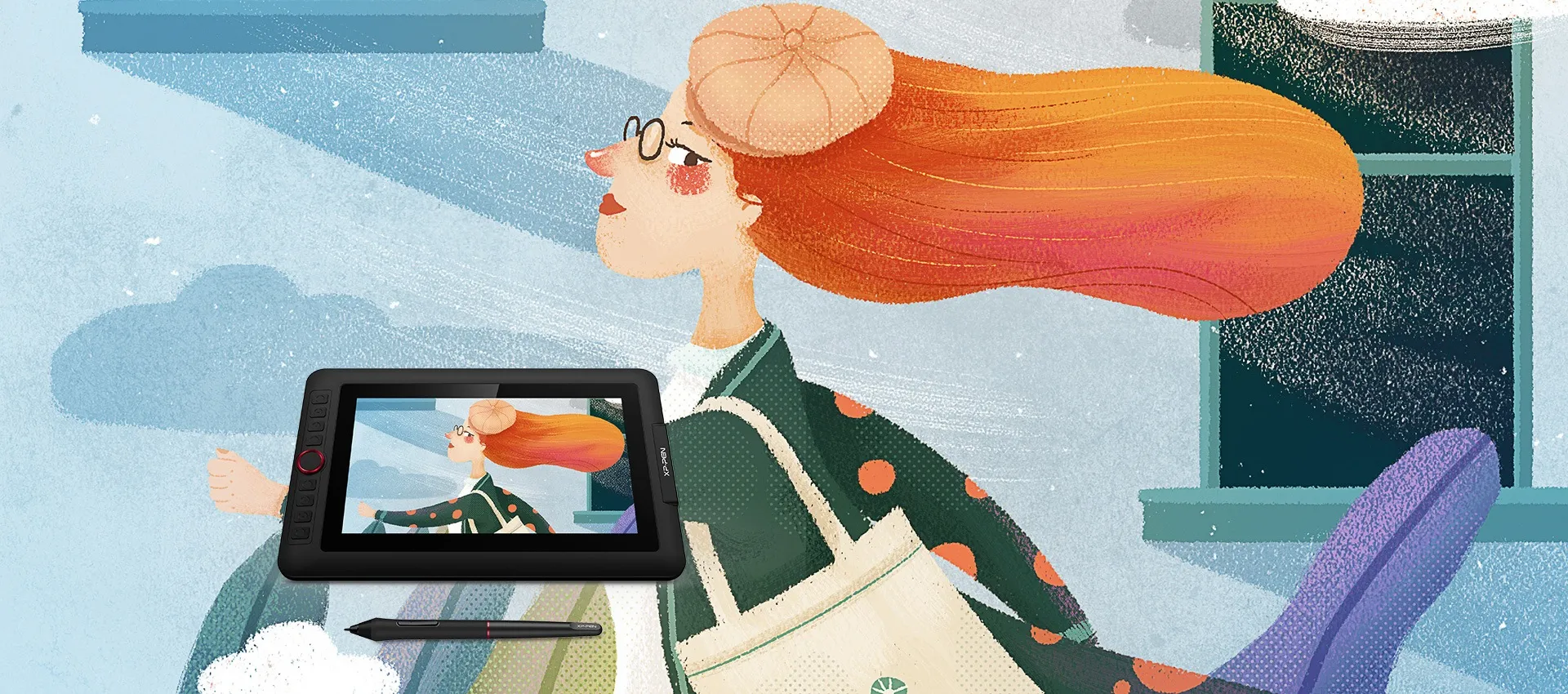
Creative Power is on Your Side.
A perfect display that suits the beginner.
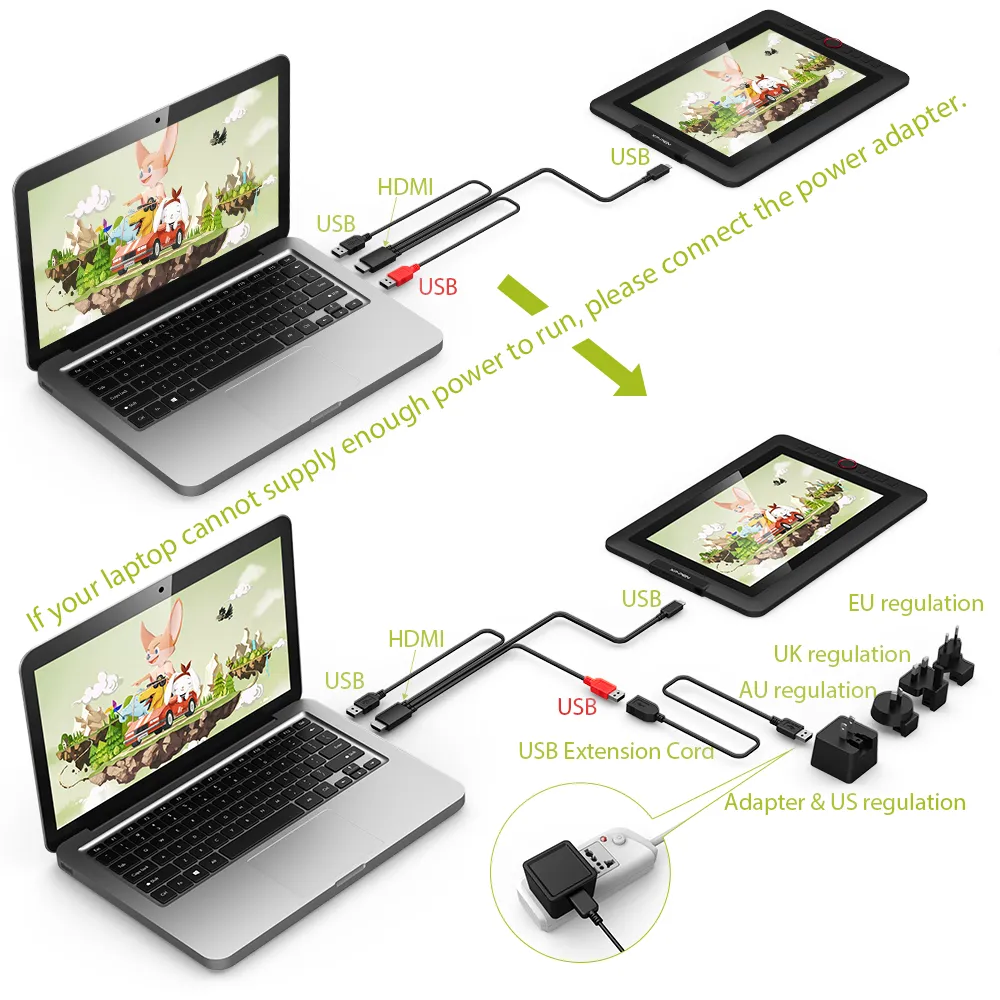
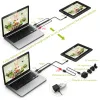
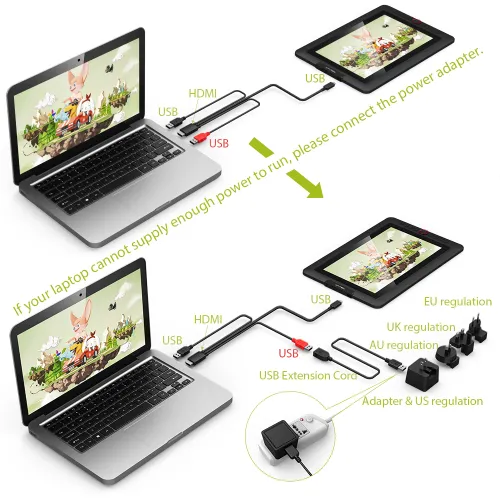
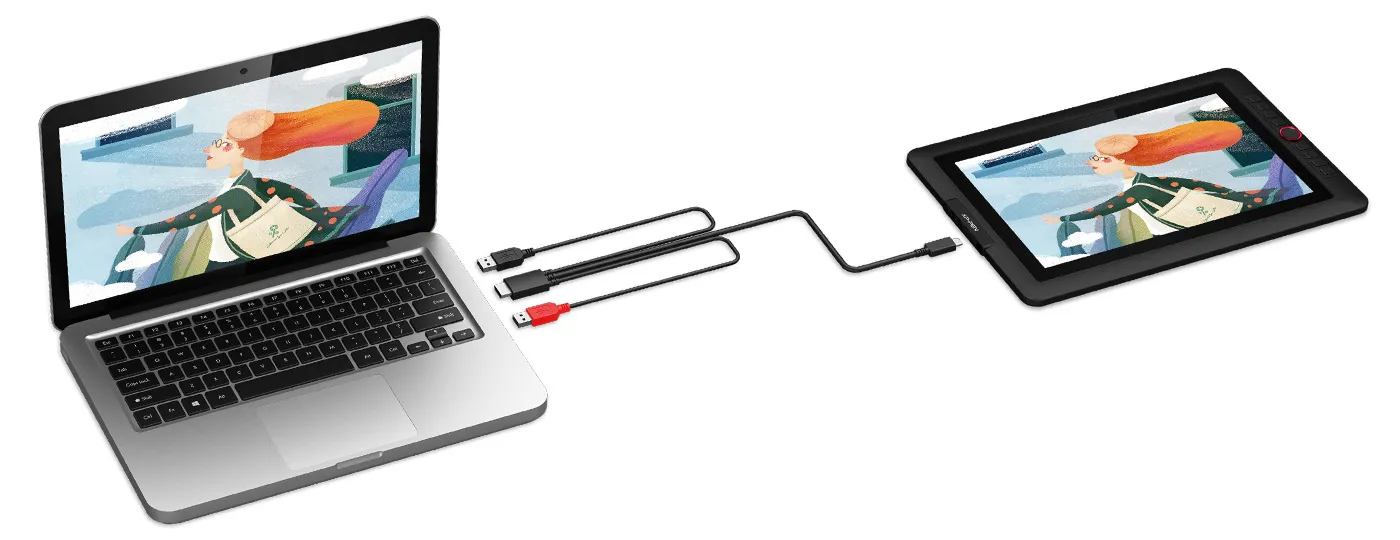
Features a super-portable screen with an 11.6-inch display area and a convenient 3-in-1 cable design. There's no need to use any adapter and it quickly connects to your computer. Start sketching, doodling, and drawing directly on Artist 12 Pro and begin your creative journey.
Smooth and sleek.
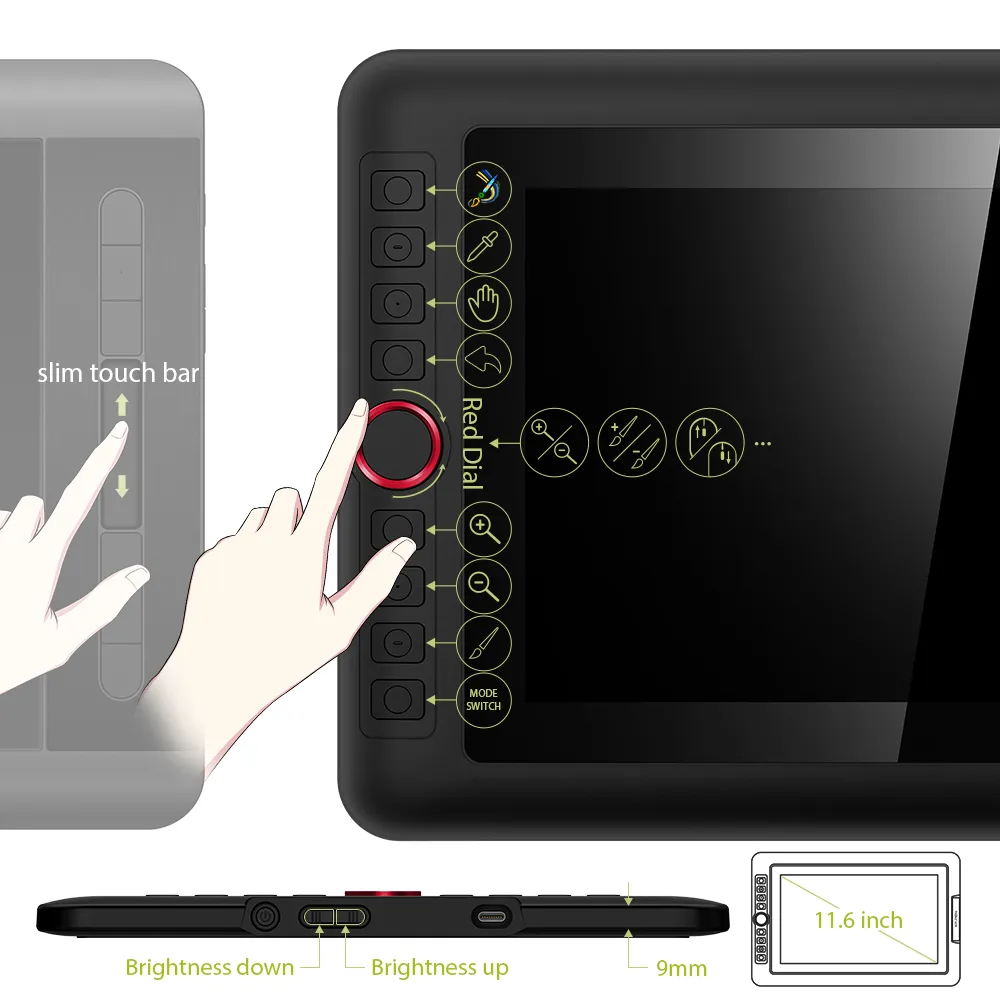
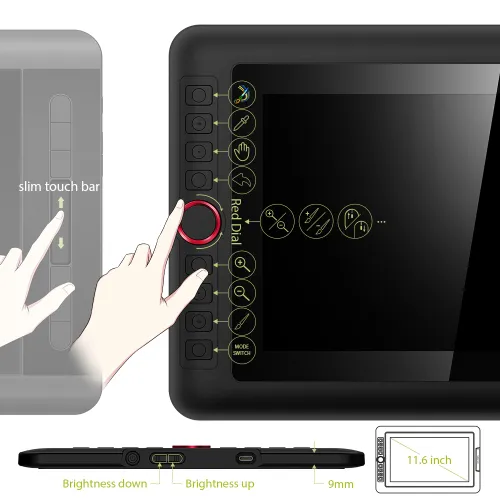
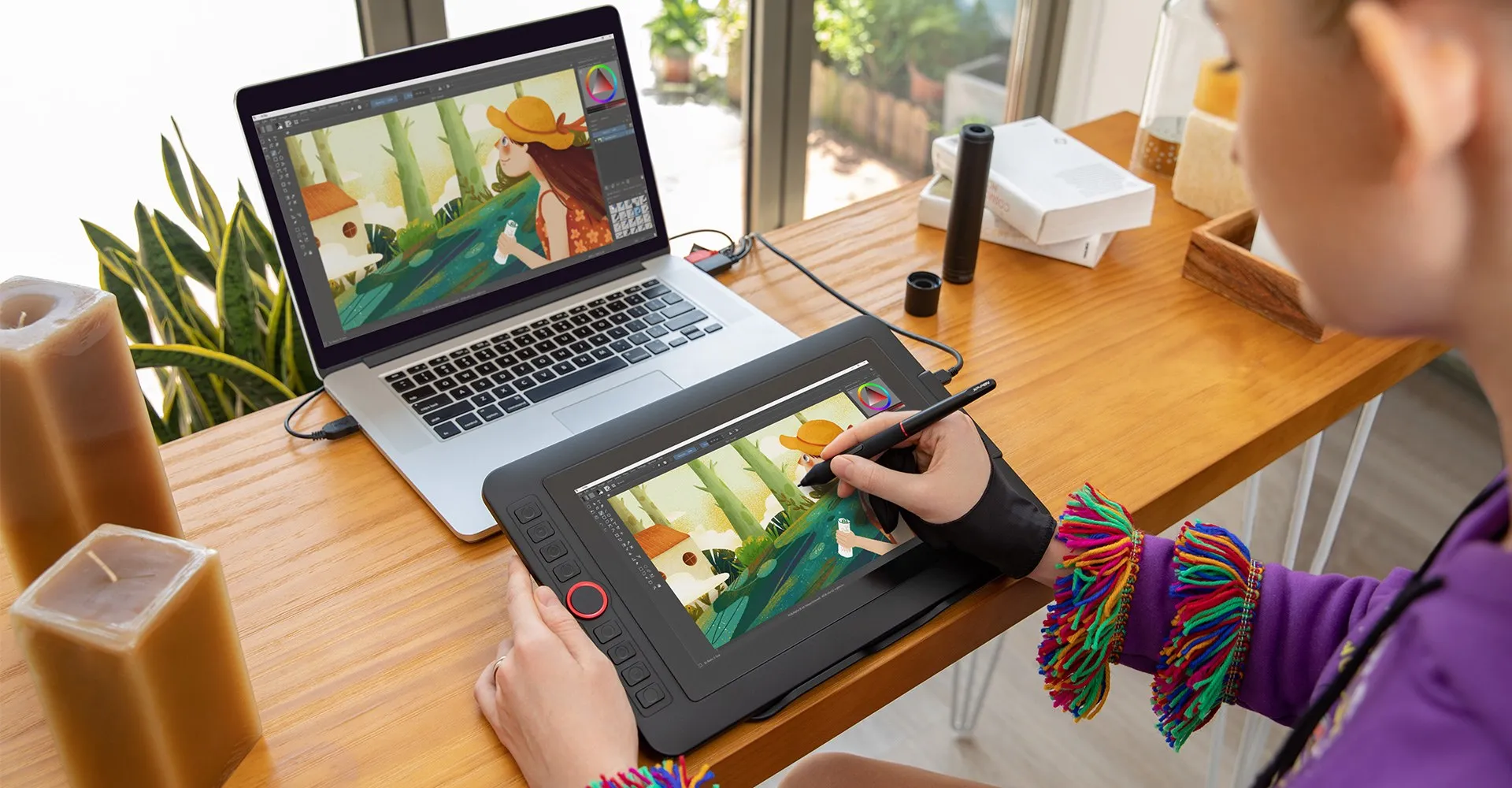
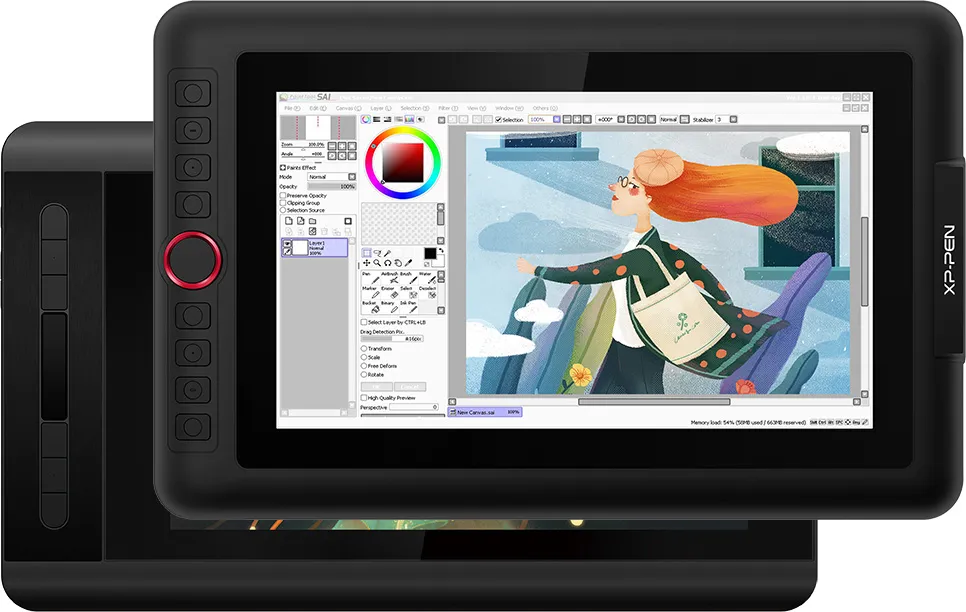
The Artist 12 Pro includes a sleek Red Dial interface to make your workflow as smooth as possible. The dial fits comfortably in your hand and can be programmed for more customization options. Compared to the Artist 12's slim touch bar, it's easier to control accurately and with more freedom with the 12 Pro's dial wheel, letting you capture and express your ideas faster and more easily.
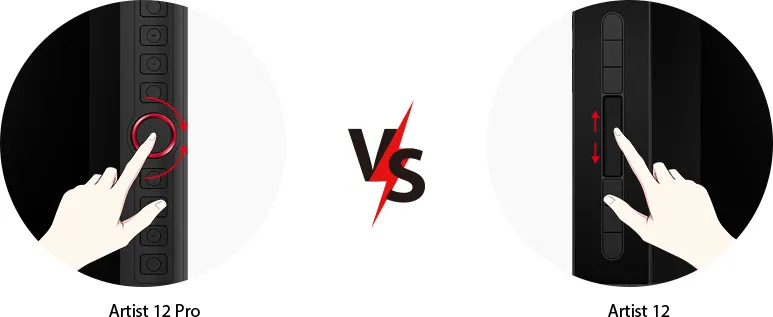
Dial Wheel
Slim Touch Bar
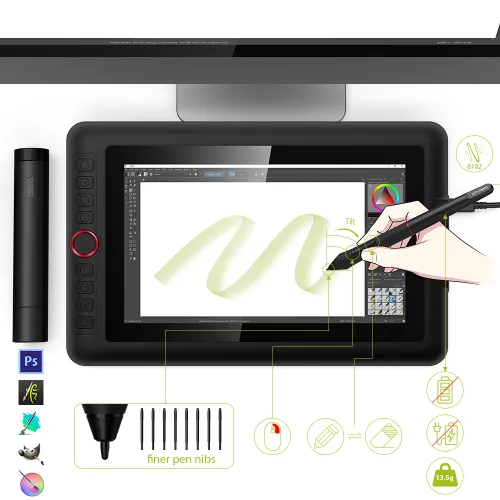
Natural Tilt Support.
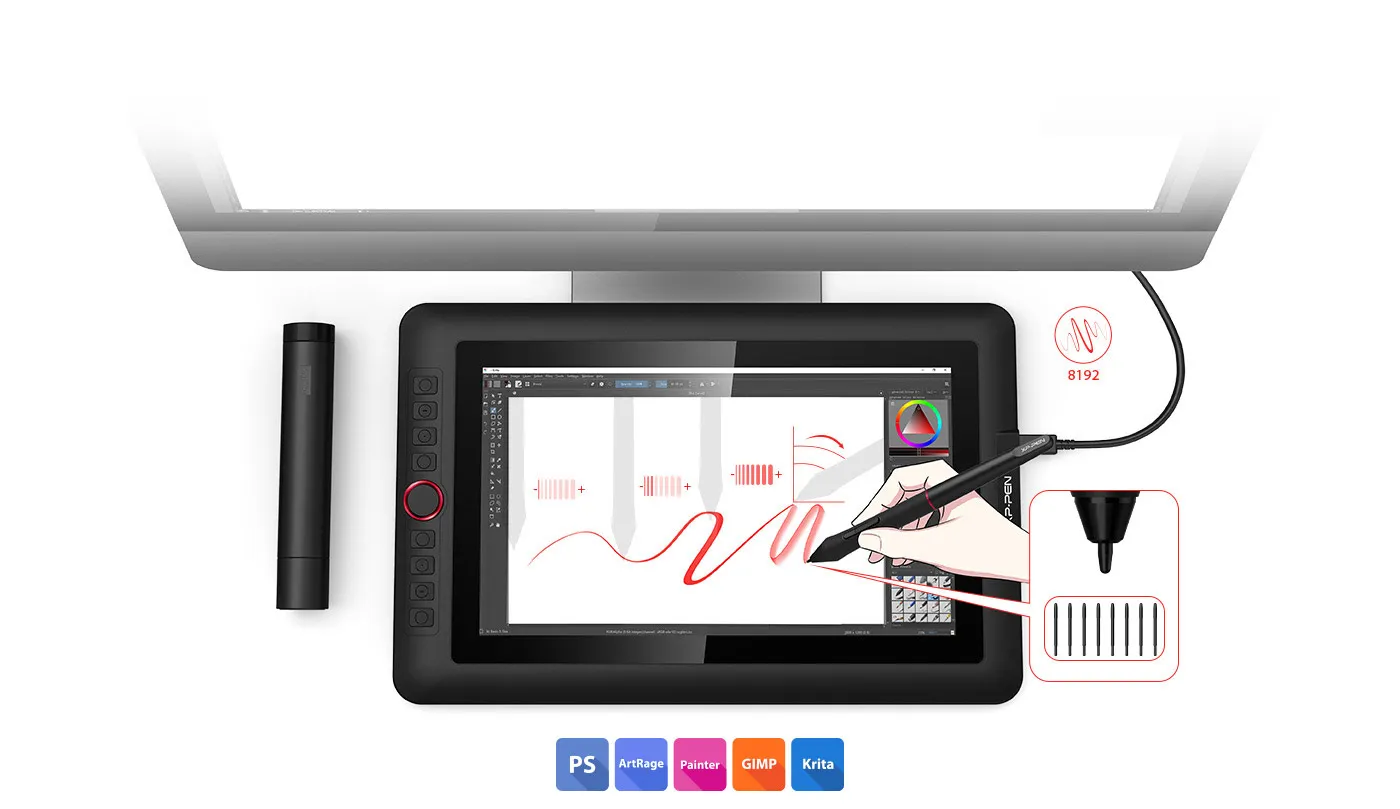
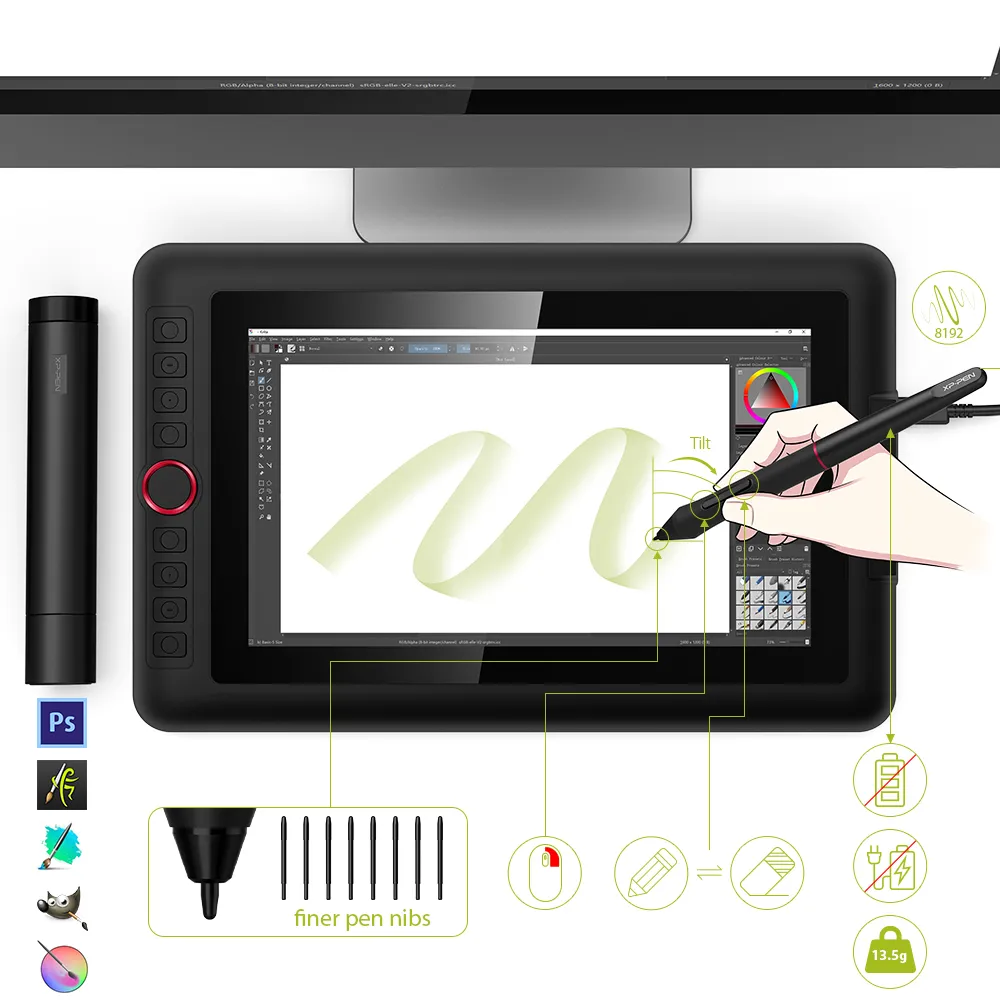
finer pen nibs
The XP-Pen Artist 12 Pro supports up to 60 degrees of tilt function, so now you don't need to adjust the brush direction in the software over and over again. Simply tilt to add shading to your creation and enjoy smoother and more natural transitions between lines and strokes.
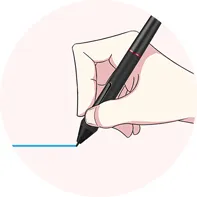
Virtually No Lag
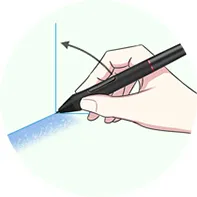
Sensitively Tilt for Shading
Easy on the eyes. Real to your imagination.
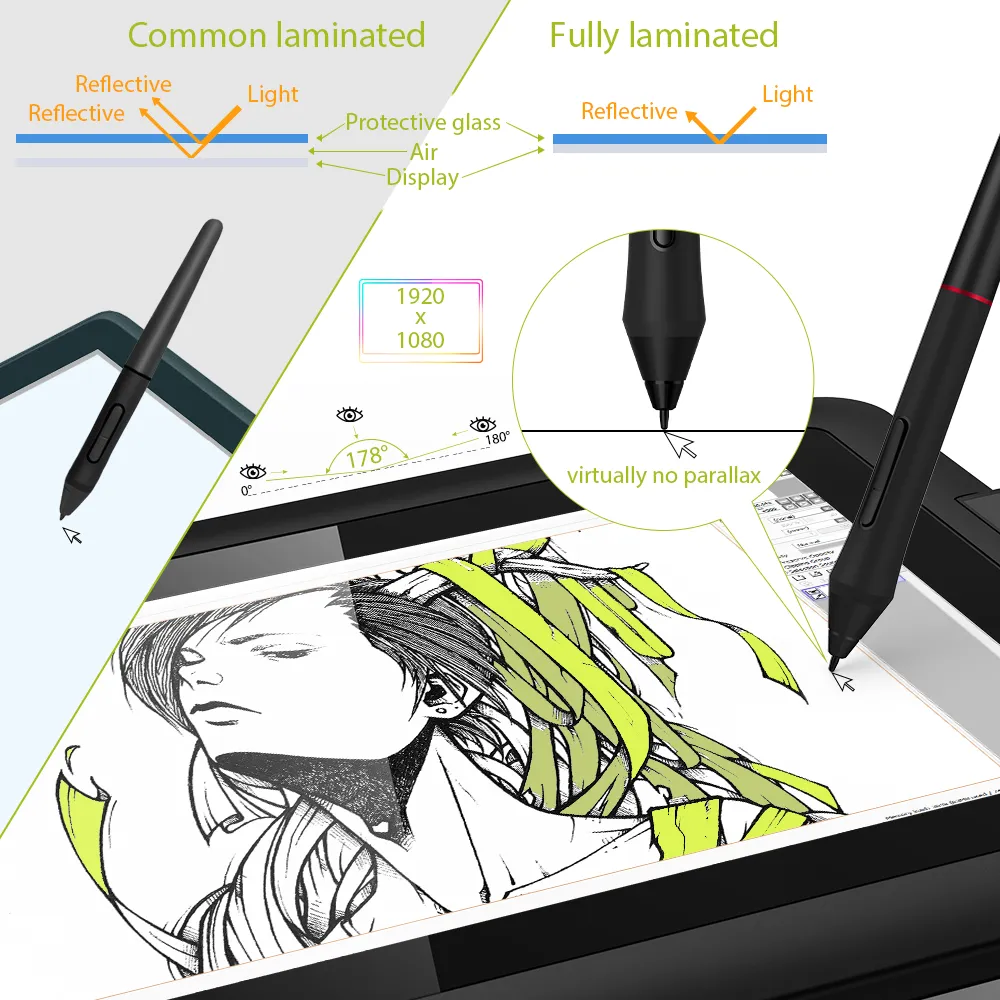
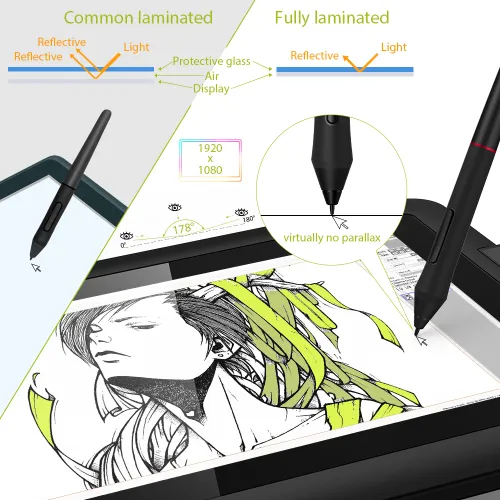
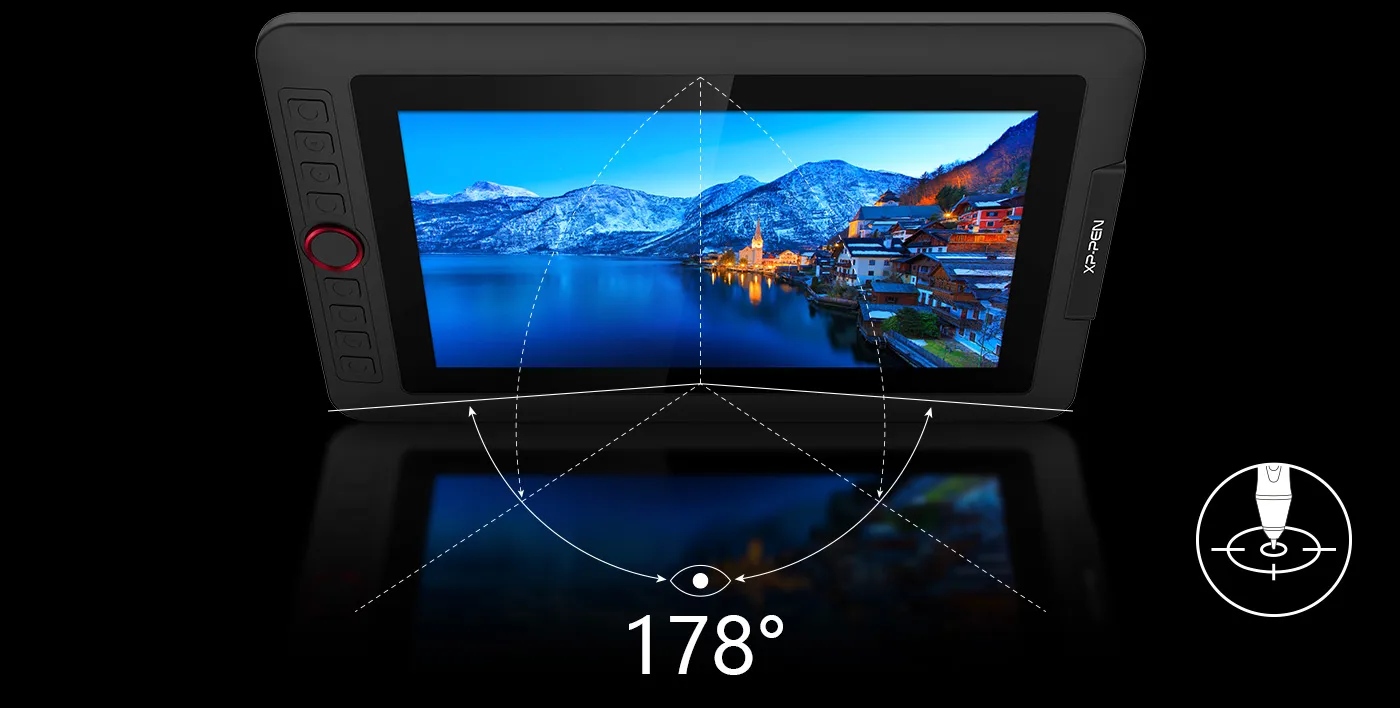
Adopting fully-laminated technology, the Artist 12 Pro seamlessly combines the glass and screen to create a distraction-free working environment. With virtually no parallax, your cursor appears exactly where you want it, offering a real paper-like feel while drawing on this 11.6 inch fully-laminated IPS Display with a 178-degree viewing angle and 1920*1080 high resolution.
Brings more customization options as you like.
Compared to the Artist 12, the Artist 12 Pro features 8 fully customizable shortcut keys and puts more customization options at your fingertips!
Artist 12 Pro
Artist 12
Fast, fluid performance.
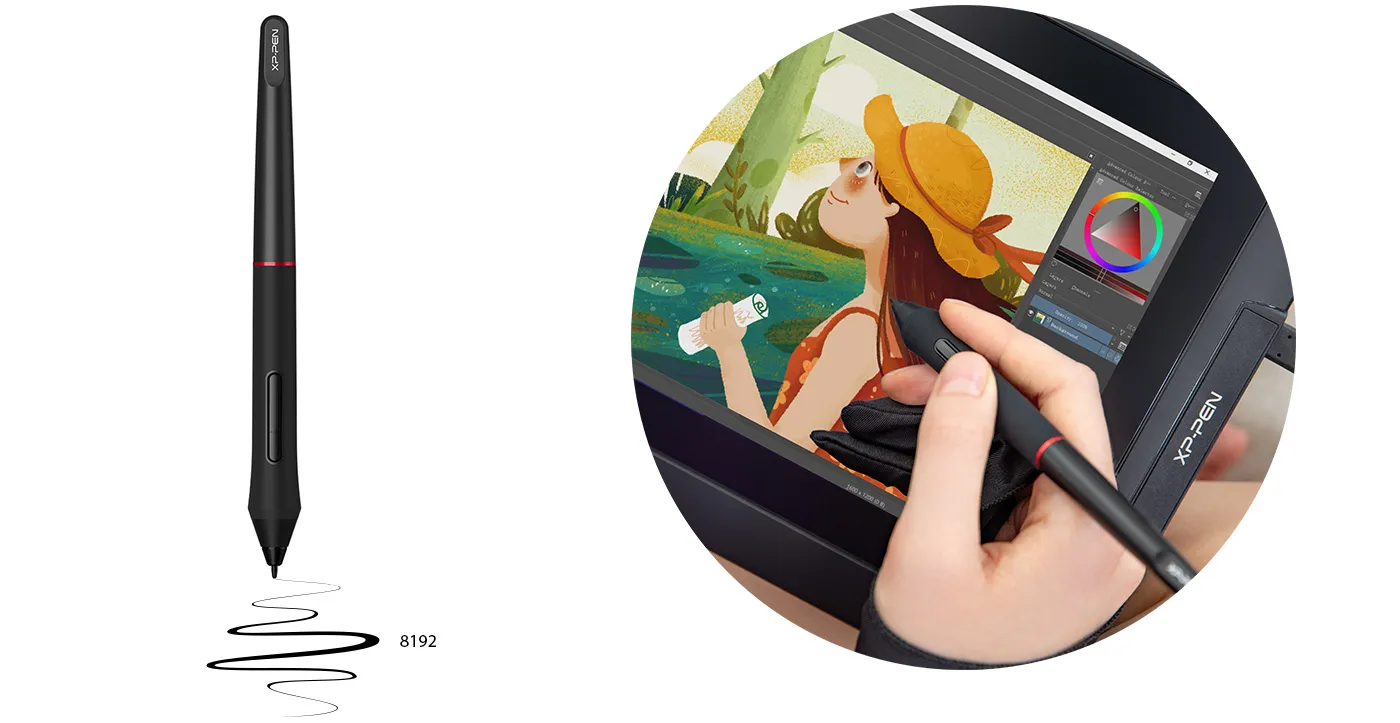
With up to 8,192 levels of pressure sensitivity, it provides you with increased accuracy and enhanced performance to create the finest sketches and lines, even down to the nuance of different hairs.
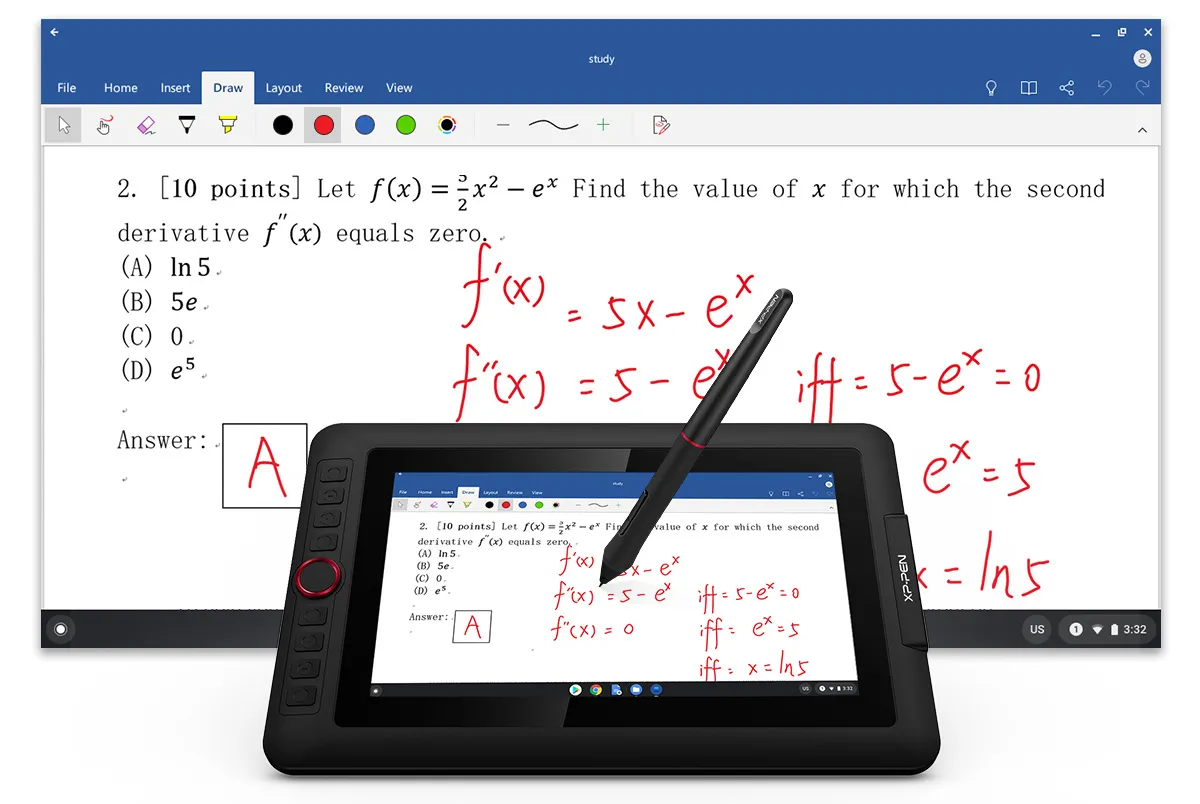
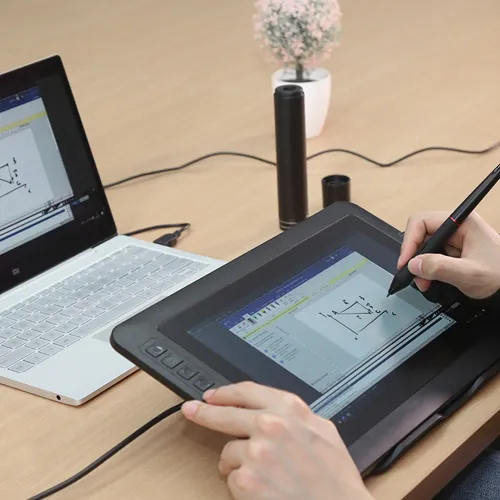
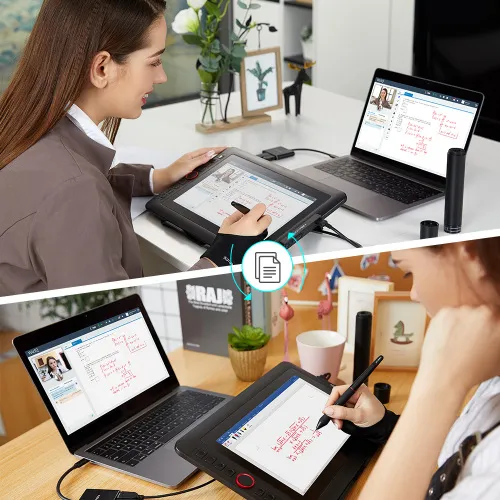
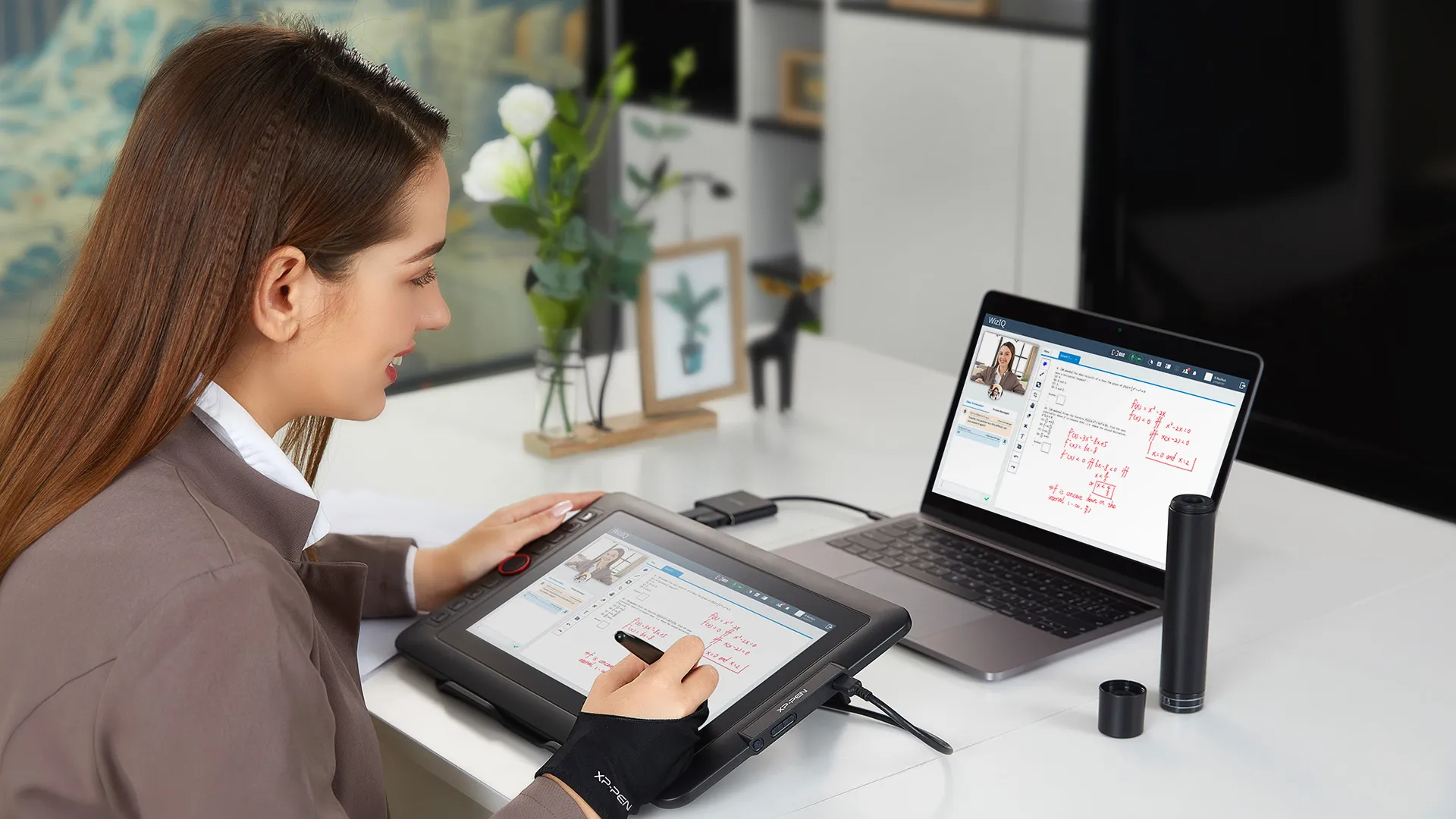
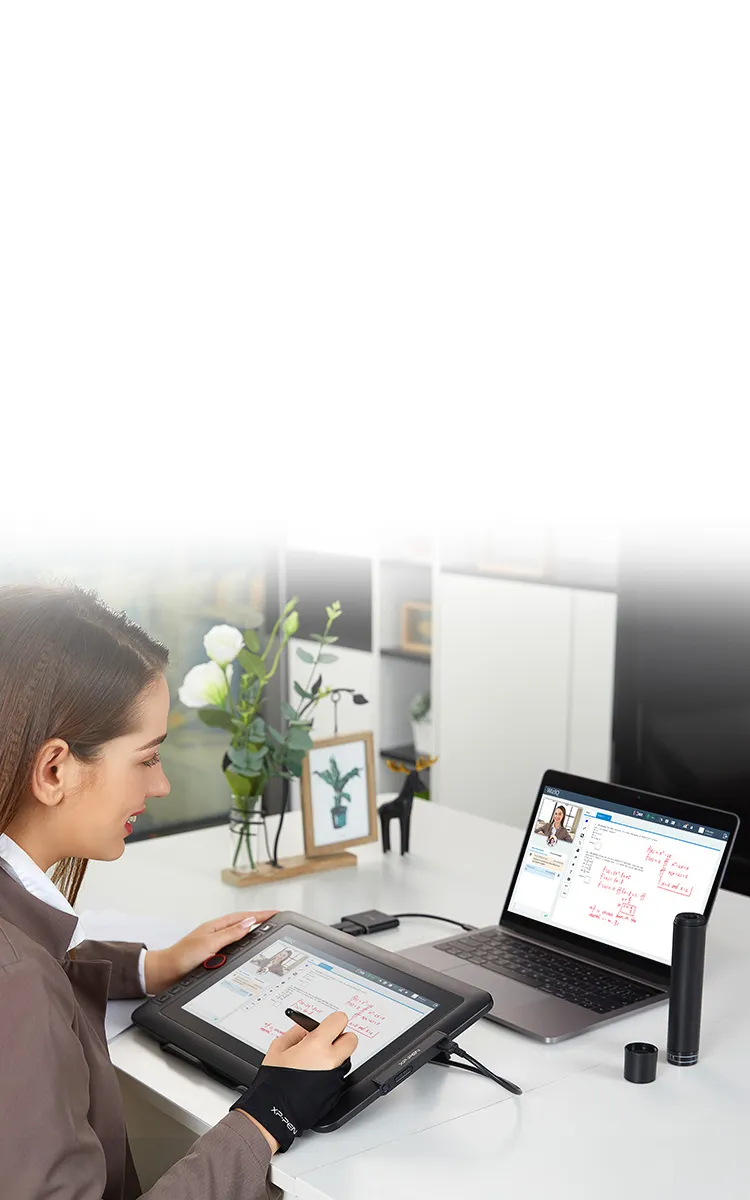
Ideal for your web conferencing or distance learning.
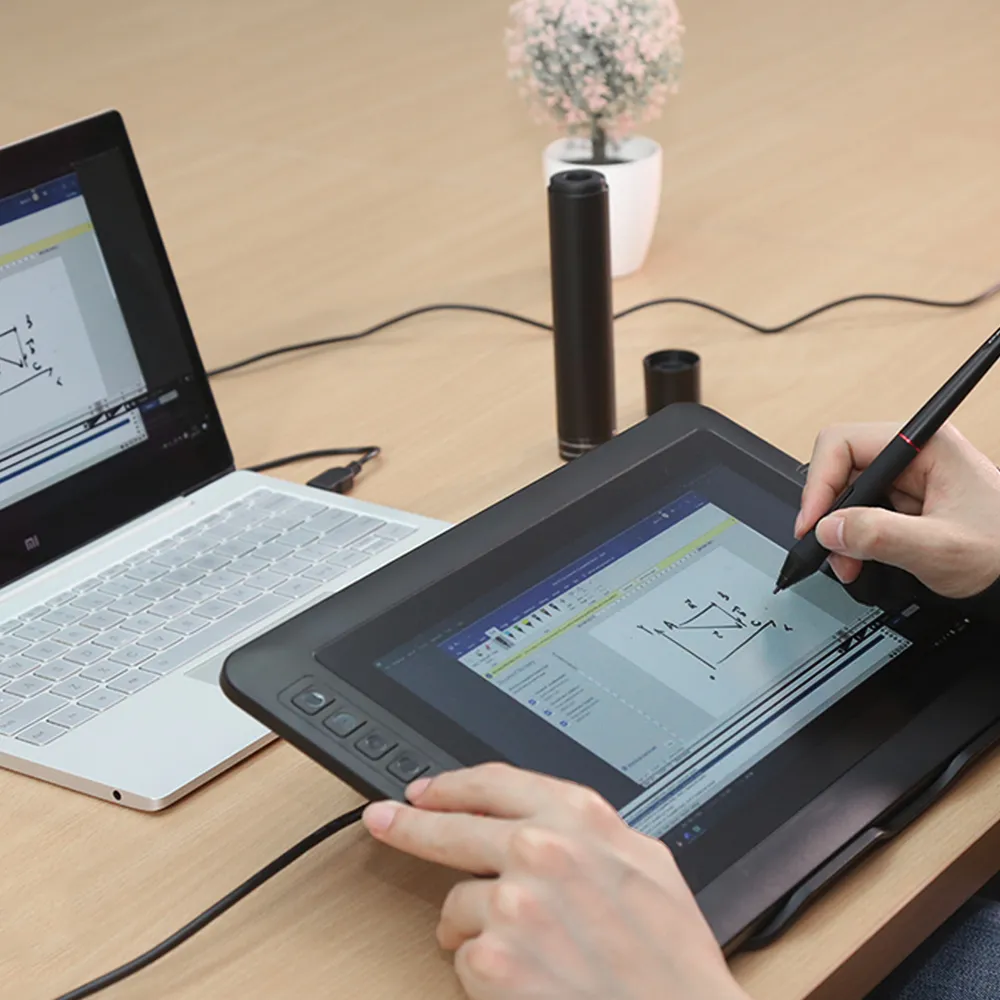
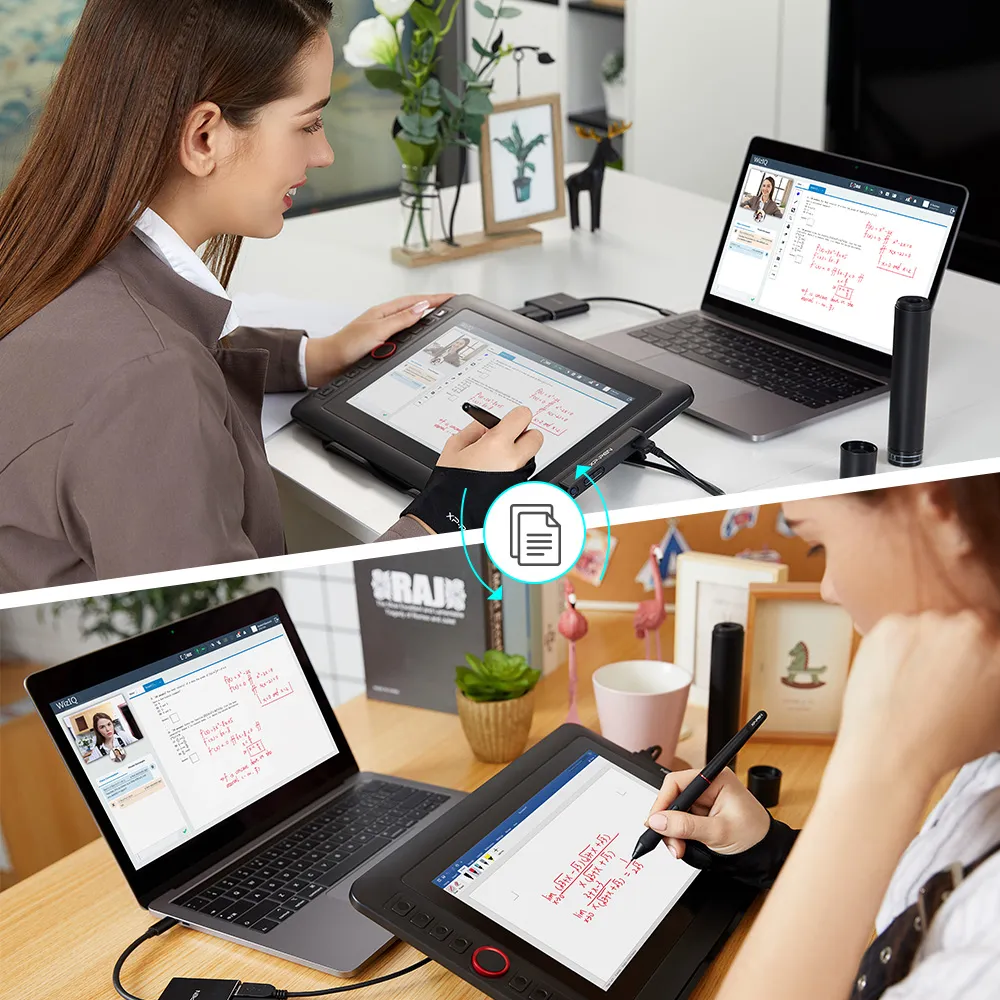
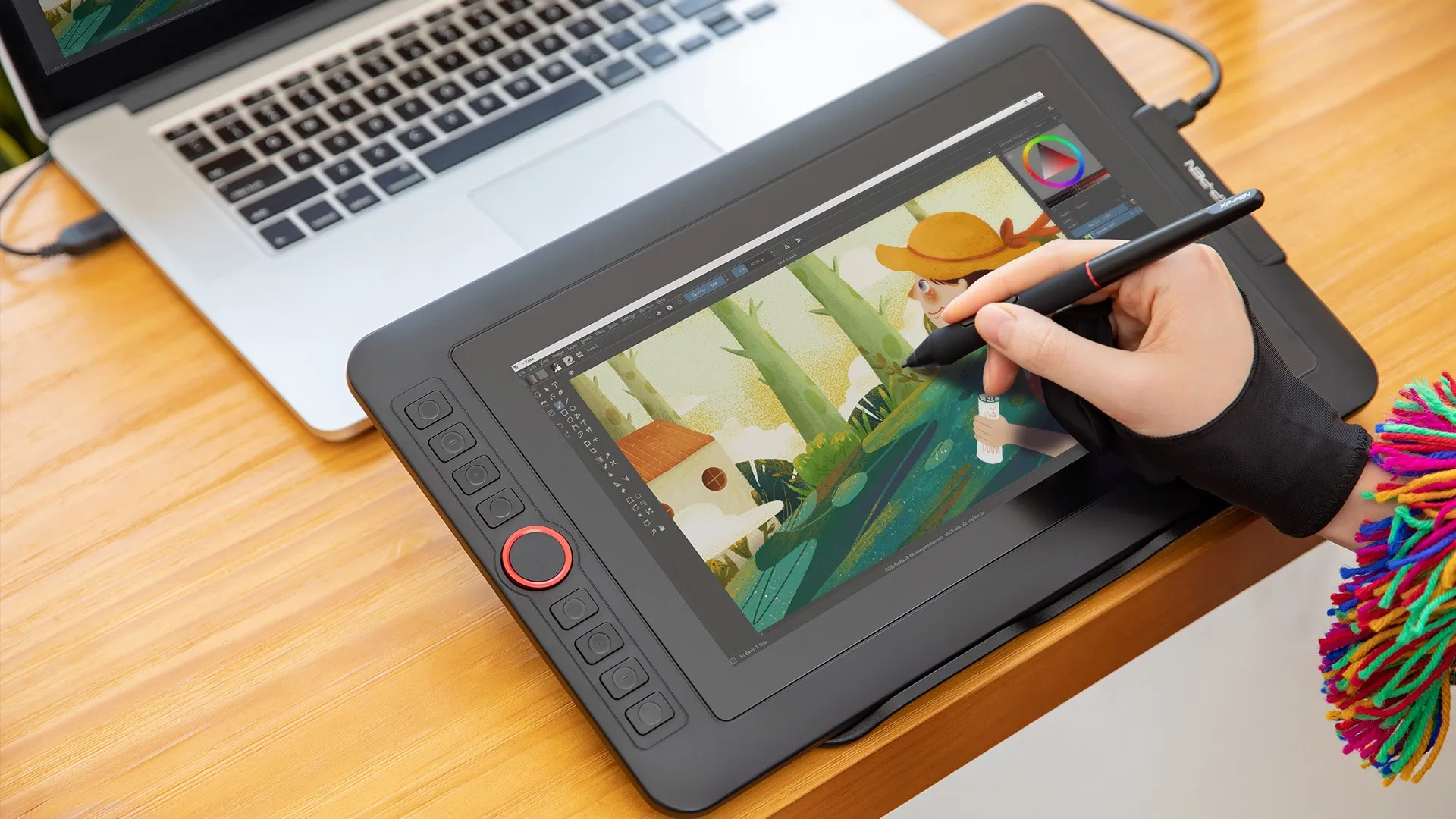
Simultaneous digital inking with an XP-Pen graphics tablet compatible with Microsoft Office apps like Word, PowerPoint, OneNote and more. Visually present your handwritten notes and signatures precisely – ideal for your web conferencing or online teaching needs.
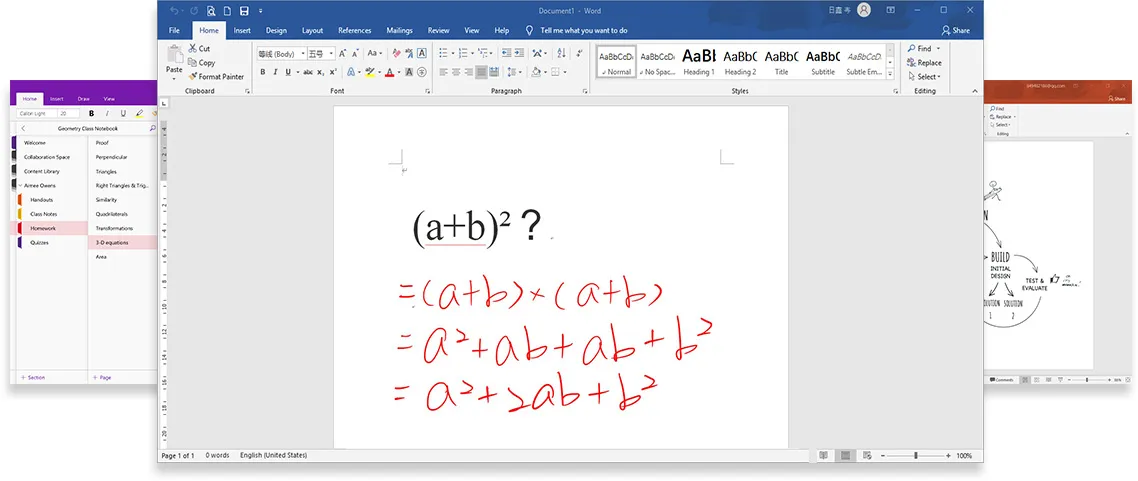
Engage, inspire, and immerse students and attendees like never before.
Teachers and speakers can create and explain interactive content visually by writing, editing, and annotating directly in files and sharing their screen in real time while streaming, broadcasting, or web conferencing. This flexibility allows the flow of creative ideas and the problem-solving process to be presented intuitively and efficiently.
Get started →
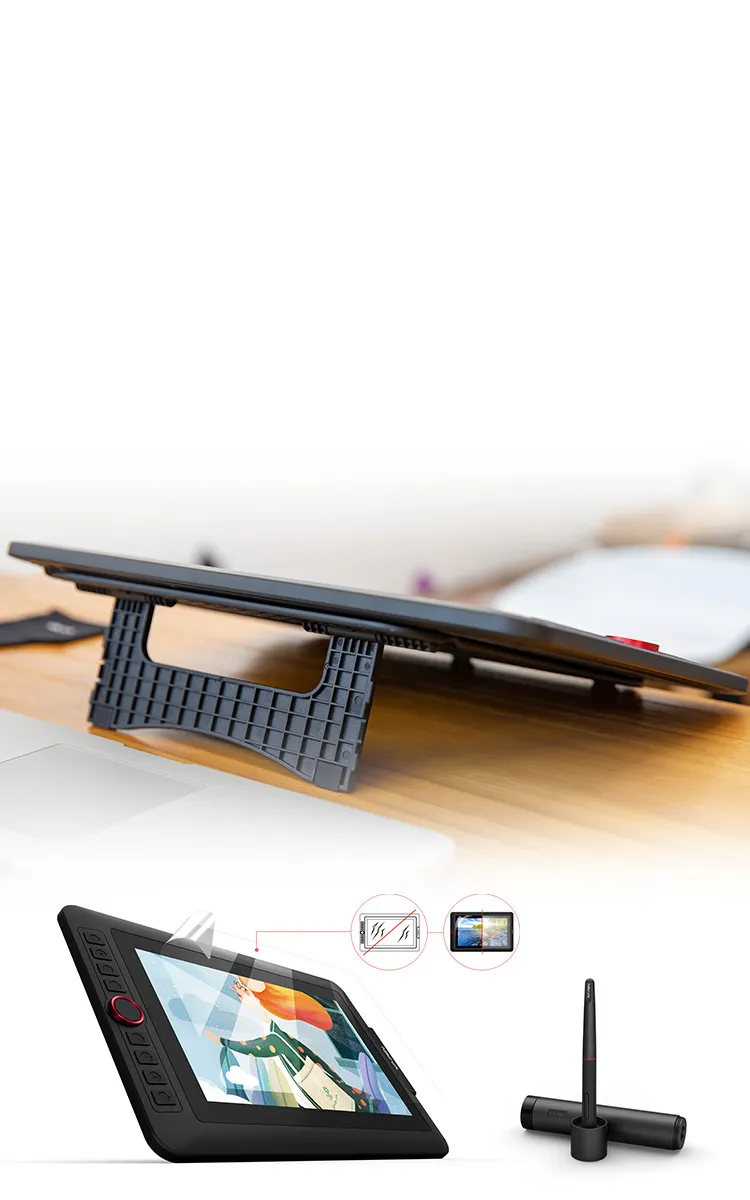
Accessories to complete your creation.
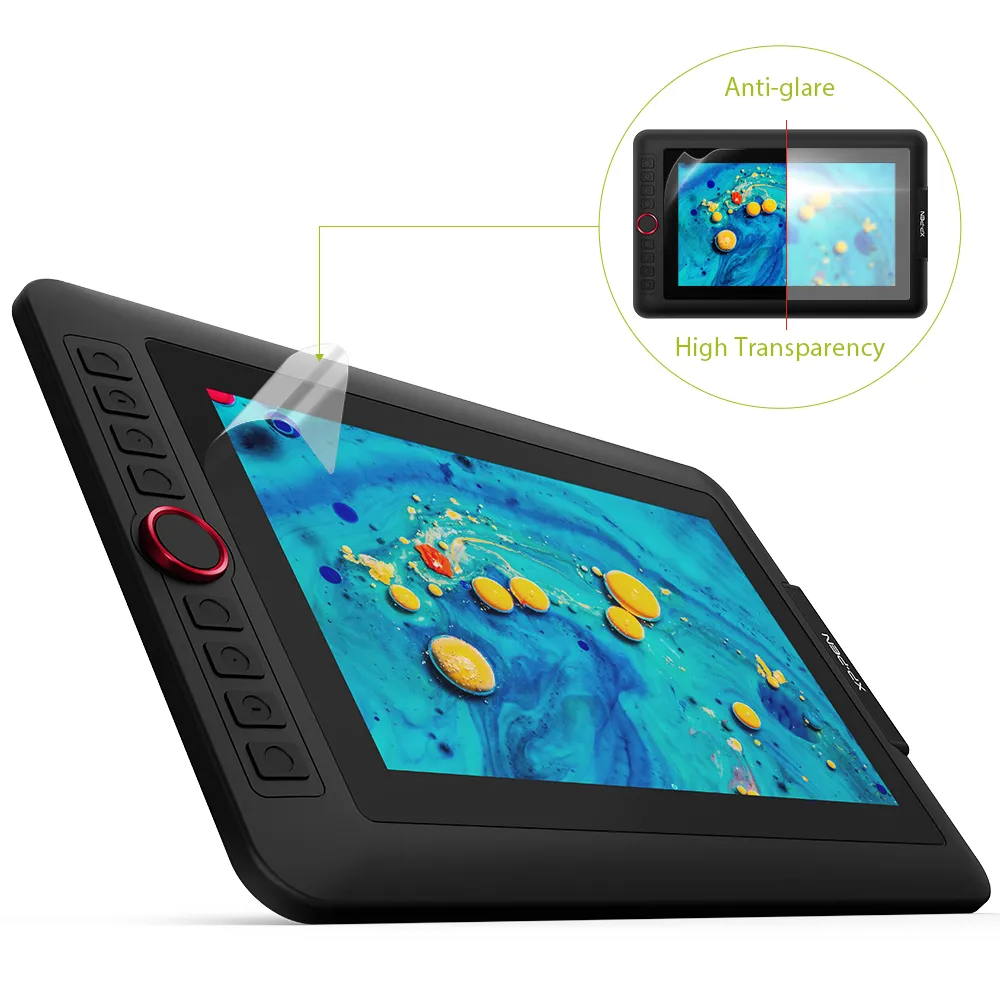
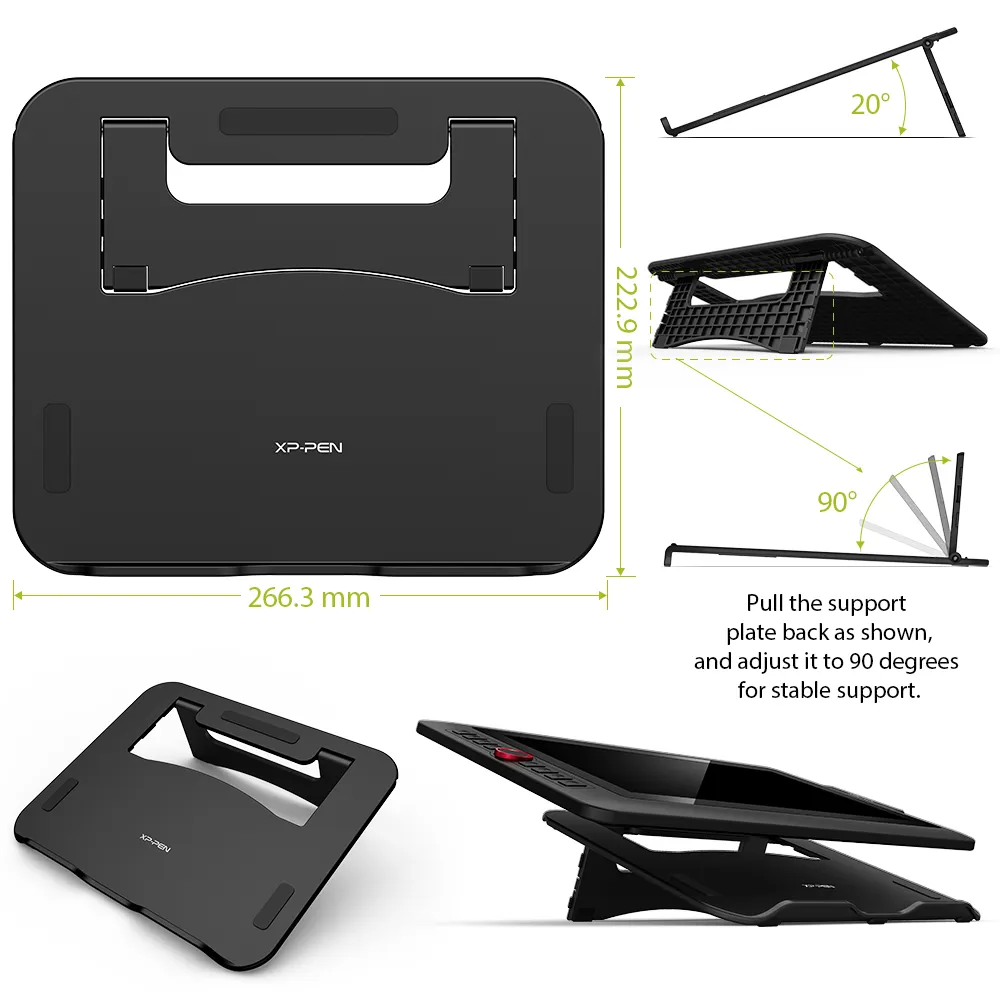
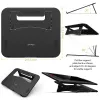
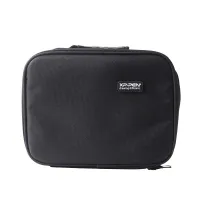
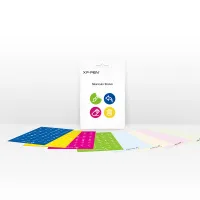
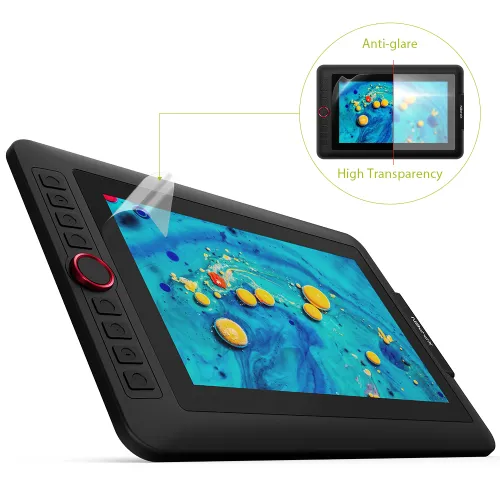
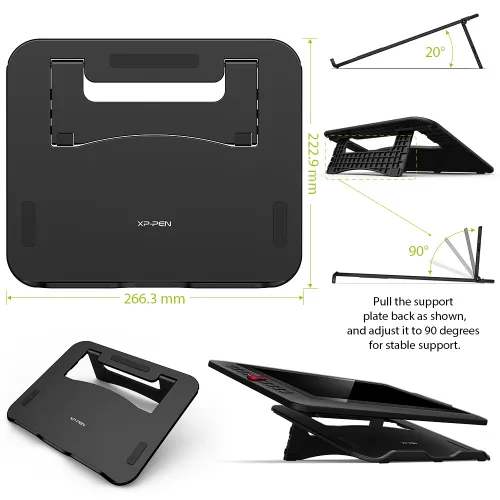
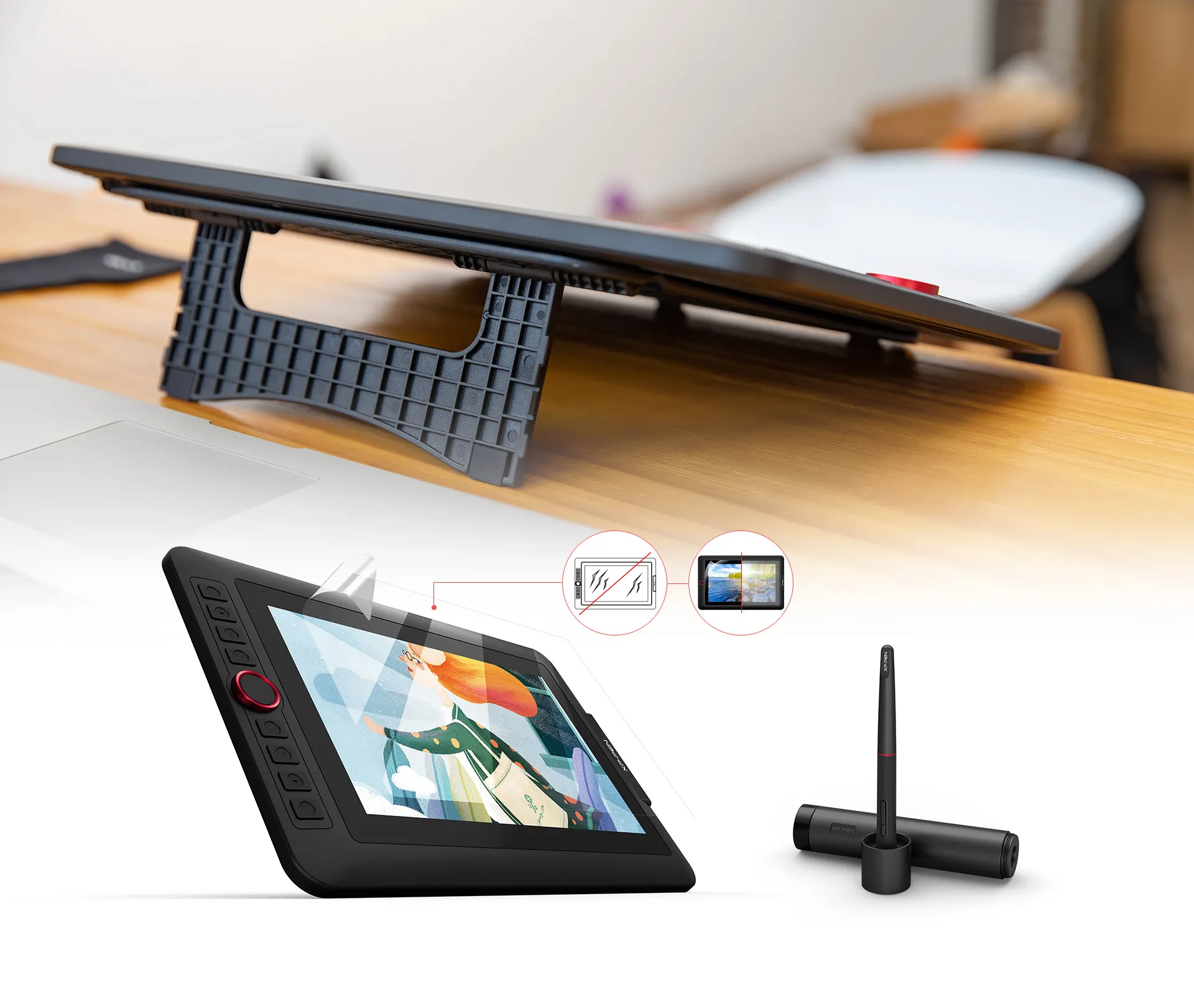
The portable stand is built to prevent shaking or sliding as well as relieve eye fatigue and hand stiffness. It also comes with a protective film to help protect your screen and reduce glare, while the pen holder keeps your pen and pen nibs safe and doubles as a pen stand or pen holder.
Scratch Resistance
Anti-glare
High Transparency
Versatility and Compatibility.
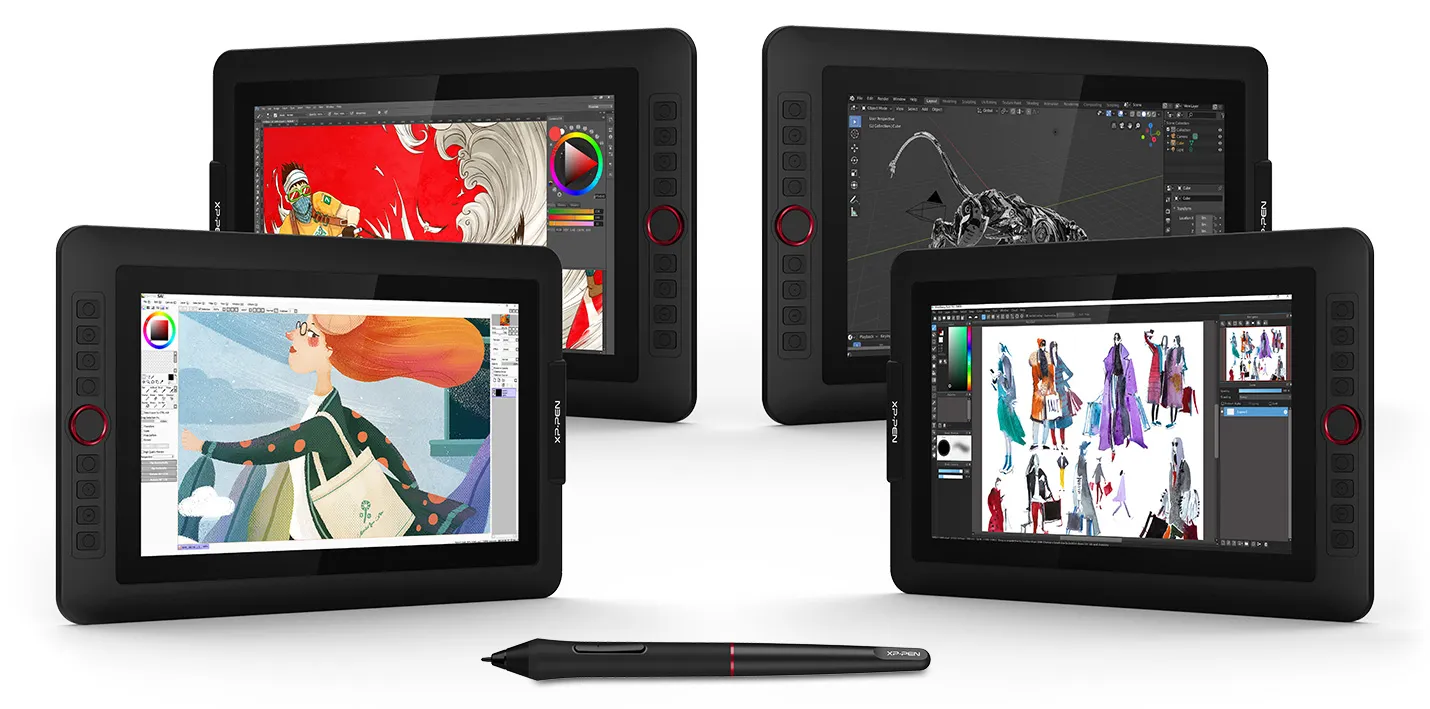
Supports Windows® 10/8/7(32/64bit), Linux (Detailed versions), Mac OS X® 10.10 and higher. Compatible with popular digital art software such as Adobe® Photoshop®, Illustrator®, SAI®, CDR®, GIMP®, Krita®, Medibang®, Fire Alpaca®, Blender® 3D and more. The XP-Pen Artist 12 Pro also works with web conferencing, online learning or broadcasting software including XSplit, Zoom, Twitch, Microsoft Teams, ezTalks Webinar, Idroo, Scribblar, Udemy, Ding Talk, and more.
Specification:
| Technology: | Electromagnetic |
| Dimension: | 351.52mm(L)*225.38mm(W)*12.9mm(H) |
| Display Area: | 256.32mm(H) x 144.18mm(V) |
| Display Resolution: | 1920x1080 pixels |
| Color Gamut: | 72% NTSC |
| Shortcut Keys: | 8 |
| Roller wheel: | 1 |
| Response Time: | 14ms |
| Pixel Pitch: | 0.1335*0.1335mm |
| Color Displays: | 16.7M |
| Contrast Ratio: | 1000:1 |
| Viewing Angle: | 178° |
| Pressure Levels: | 8,192 |
| Tilt: | 60 Degrees |
| Report Rate: | ≧200 |
| Resolution: | 5080 LPI |
| Accuracy: | ±0.01inch(center) |
| Reading Height: | 10mm |
| Supply Voltage: | DC 5V |
| USB Interface: | USB |
| Current consumption: | 2A |
| Power Consumption: | 10W |
| Compatibility: | Windows® 10/8/7 (32/64bit), Linux (Detailed versions), Mac OS X® 10.10 and higher |
Package Included:
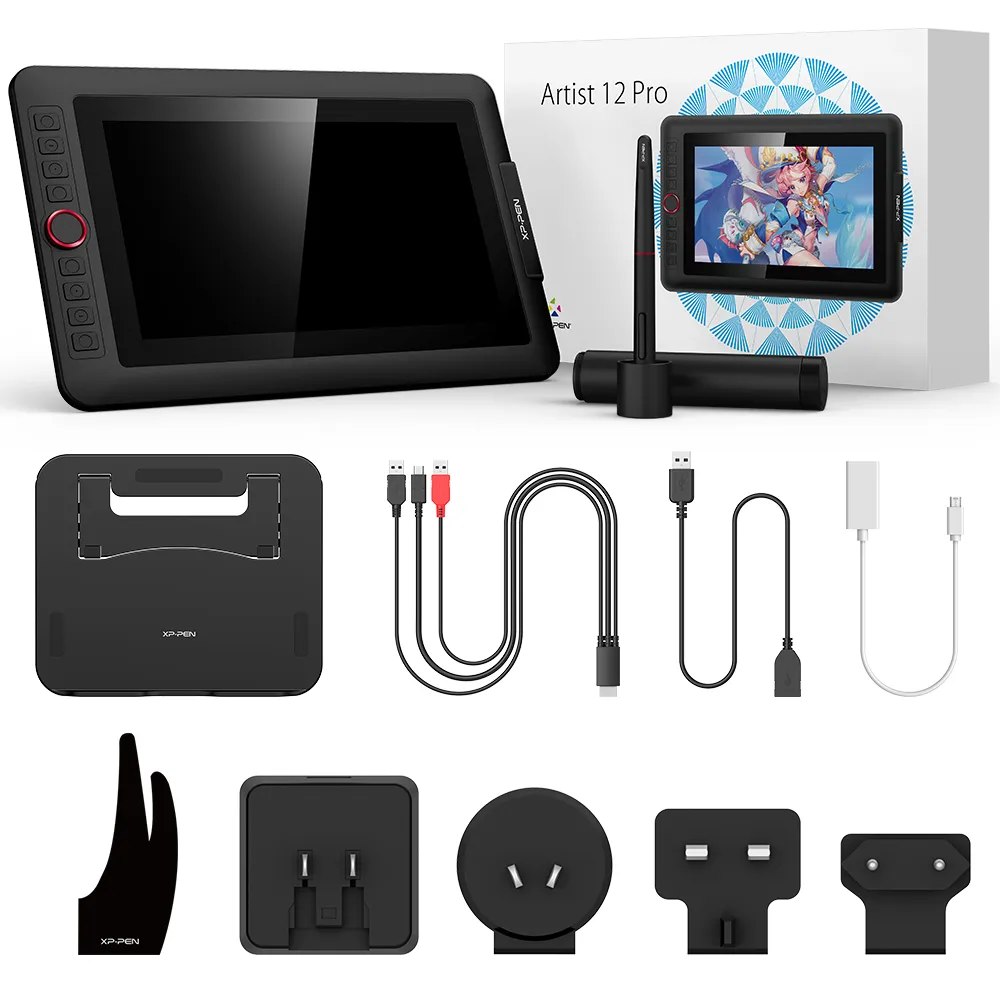
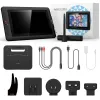
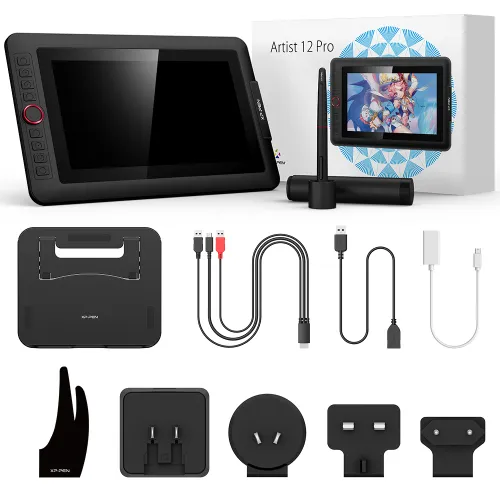
1x 11.6 Inch Display
1x Portable Stand
1 x Battery-free Stylus
8 x Replacement Pen Nibs
1 x Pen Holder
1 x Quick Guide
1x 3-in-1 USB Cable
1 x Cleaning cloth
1x USB Extension Cord
1 x Black Drawing Glove
1 x Power Adapter
PS: Product has to be connected to a PC when running.
| Linux OS | Version | Package Format | Supported Software |
| Arch | Arch Linux2019.12.01(64-bit) | .deb, .sh | GIMP, Krita |
| Centos | Centos7.0(64-bit) | .rpm, .sh | GIMP |
| Centos8(64-bit) | .rpm, .sh | GIMP, Krita | |
| Debian | debian-9.5.0-amd64-netinst(64-bit) | .deb, .sh | GIMP, Krita |
| elementary OS | elementary OS 5.0(64-bit) | .deb, .sh | GIMP, Krita |
| ezgo Linux | ezgo14(64-bit) | .deb, .sh | GIMP, Krita |
| Fedora | Fedora32(64-bit) | .rpm, .sh | GIMP, Krita |
| Mageia | Mageia-7.1(64-bit) | .rpm, .sh | GIMP, Krita |
| Manjaro | manjaro-xfce-20.1.2-201019(64-bit) | .deb, .sh | GIMP |
| Mint | linuxmint-18.2-cinnamon-64bit | .deb, .sh | GIMP, Krita |
| OpenSUSE | openSUSE-Tumbleweed(64-bit) | .rpm, .sh | GIMP, Krita |
| Pop!_OS | pop-os_19.10(64-bit) | .deb, .sh | GIMP, Krita |
| Red Hat | Red Hat7(64-bit) | .rpm, .sh | GIMP |
| Ubuntu | Ubuntu14.04(64-bit) | .deb, .sh | GIMP, Krita |
| Ubuntu16.04(64-bit) | .deb, .sh | GIMP, Krita | |
| Ubuntu17.04(64-bit) | .deb, .sh | GIMP, Krita | |
| Ubuntu18.04(64-bit) | .deb, .sh | GIMP, Krita | |
| Ubuntu19.04(64-bit) | .deb, .sh | GIMP, Krita | |
| Ubuntu20.04(64-bit) | .deb, .sh | GIMP, Krita |
| Function | Krita 4.3.0 | Gimp 2.10.20 | Inkscape 0.92 |
| Pen Pressure Sensitivity | |||
| Tilt | |||
| Mouse Function | |||
| Eraser Button (Stylus:PH01, P06) | |||
| Switch between Pen and Eraser Modes | |||
| *If you have any further queries, please do not hesitate to contact us at service@xp-pen.com. | |||
Linux OS
Arch
Version
Arch Linux2019.12.01(64-bit)
Package Format
.deb, .sh
Supported Software
GIMP, Krita
Centos
Version
Centos7.0(64-bit)
Centos8(64-bit)
Centos8(64-bit)
Package Format
.rpm, .sh
.rpm, .sh
.rpm, .sh
Supported Software
GIMP
GIMP, Krita
GIMP, Krita
Debian
Version
debian-9.5.0-amd64-netinst(64-bit)
Package Format
.deb, .sh
Supported Software
GIMP, Krita
elementary OS
Version
elementary OS 5.0(64-bit)
Package Format
.deb, .sh
Supported Software
GIMP, Krita
ezgo Linux
Version
ezgo14(64-bit)
Package Format
.deb, .sh
Supported Software
GIMP, Krita
Fedora
Version
Fedora32(64-bit)
Package Format
.rpm, .sh
Supported Software
GIMP, Krita
Mageia
Version
Mageia-7.1(64-bit)
Package Format
.rpm, .sh
Supported Software
GIMP, Krita
Manjaro
Version
manjaro-xfce-20.1.2-201019(64-bit)
Package Format
.deb, .sh
Supported Software
GIMP
Mint
Version
linuxmint-18.2-cinnamon-64bit
Package Format
.deb, .sh
Supported Software
GIMP, Krita
OpenSUSE
Version
openSUSE-Tumbleweed(64-bit)
Package Format
.rpm, .sh
Supported Software
GIMP, Krita
Pop!_OS
Version
pop-os_19.10(64-bit)
Package Format
.deb, .sh
Supported Software
GIMP, Krita
Red Hat
Version
Red Hat7(64-bit)
Package Format
.rpm, .sh
Supported Software
GIMP
Ubuntu
Version
Ubuntu14.04(64-bit)
Ubuntu16.04(64-bit)
Ubuntu17.04(64-bit)
Ubuntu18.04(64-bit)
Ubuntu19.04(64-bit)
Ubuntu20.04(64-bit)
Ubuntu16.04(64-bit)
Ubuntu17.04(64-bit)
Ubuntu18.04(64-bit)
Ubuntu19.04(64-bit)
Ubuntu20.04(64-bit)
Package Format
.deb, .sh
.deb, .sh
.deb, .sh
.deb, .sh
.deb, .sh
.deb, .sh
.deb, .sh
.deb, .sh
.deb, .sh
.deb, .sh
.deb, .sh
Supported Software
GIMP, Krita
GIMP, Krita
GIMP, Krita
GIMP, Krita
GIMP, Krita
GIMP, Krita
GIMP, Krita
GIMP, Krita
GIMP, Krita
GIMP, Krita
GIMP, Krita
Function
Pen Pressure Sensitivity
Krita 4.3.0
Gimp 2.10.20
Inkscape 0.92
Tilt
Krita 4.3.0
Gimp 2.10.20
Inkscape 0.92
Mouse Function
Krita 4.3.0
Gimp 2.10.20
Inkscape 0.92
Eraser Button(Stylus:PH01, P06)
Krita 4.3.0
Gimp 2.10.20
Inkscape 0.92
Switch between Penand Eraser Modes
Krita 4.3.0
Gimp 2.10.20
Inkscape 0.92
*If you have any further queries, please do not hesitate to contact us at service@xp-pen.com.
4.8


Based on 25
84%(21)

12%(3)
4%(1)
0(0)
0(0)
NTUCK86
May 17 ,2021 PM 15:05 Artist 12 Pro
awesome
this has made my work flow so much easer being able to see what i am doing
Useful(0)+1
XFANSt63rptz2
May 31 ,2021 AM 06:09 Artist 12 Pro
Perfect display tablet for a newbie and/or to travel with.
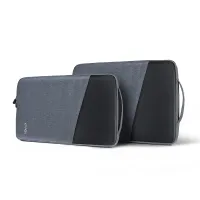
Love it! Quick and easy installation, perfect size for travel, got myself a 14inch velvet laptop sleeve (which fits perfectly) to protect my precious new thing. Love the fact that it does not have to be plugged in to main electricity (just 2USB + HDMI cables plugged in my laptop). Was batling my thoughts whether I need display tablet or just basic "black" tablet. Happy that I went with display version. Once I master the digital art, I'll definitelly upgrade to bigger version from XP-PEN.
Useful(1)+1
Ivanov Pavel
Sep 14 ,2019 PM 16:57 Artist 12 Pro
great equipment
first look and touch feels great, we will see how it perform
Useful(2)+1
Learn More
XFANS8xzkzhfn
May 17 ,2026 PM 23:15 Artist 12 Pro
Can I use this without a computer or laptop? Just the display and the pen?
Reply0
XFANS4hhk23e2
May 30 ,2025 PM 19:11 Artist 12 Pro
Does this tablet or any of the tablets work with Apple products like the MacBook Pro?
Reply0
Boobooarts
Apr 28 ,2025 PM 22:43 Artist 12 Pro
Hi is this tablet compatible to the Lenovo l27 flat panel monitor
Reply1
Official mall
Aug 08 ,2025 AM 09:38
Yes, this drawing dispaly (Artist 12 Pro) is compatible. Many of our products, including this one, support a wide range of devices. For specific compatibility details, please check the product detail page and scroll down to the system compatibility section.
Reply to this review
XFANSbzb1sot1
Apr 29 ,2022 PM 18:05 Artist 12 Pro
If I order an 'Artist 12 Pro ' is the 3 in 1 cable included, or do I have to order that separately?
Reply1
Official mall
Aug 08 ,2023 PM 17:52
Dear Customer,
Hi, the cable would be included.
Best Regards
Reply to this review
XFANS5tm7x7ss
Jan 02 ,2022 PM 20:56 Artist 12 Pro
This product is currently retailing at $199 in the US and 206 Euros in the EU. Why so expensive in the UK
https://www.storexppen.com/buy/artist-12-pro.html
https://www.storexppen.eu/buy/12.html
Reply1
Official mall
Feb 17 ,2022 PM 18:17
Hello,
The Artist 12 Pro is selling at the price of £199.99 now.
And this product is selling at the price of $249.99 in the US.
I guess the promotion arrangement is not the same.
Have a nice day.
Sincerely
Reply to this review
XFANSpe1ezy3b
Nov 13 ,2021 AM 01:26 Artist 12 Pro
does this tablet have an option to turn off touch? i don't want to have to use a glove to draw, and would prefer just using the pen.
Reply1
Official mall
Nov 15 ,2021 AM 11:29
Hi, it\'s actually not a touch screen. So your hand won\'t affect the drawing. The glove is only for protecting.
Reply to this review
XFANSjpp52rfn
Oct 26 ,2021 AM 00:04 Artist 12 Pro
Hello. I just bought this tablet for my daughter, for Christmas . It will work with her Acer Chromebook??? Thanks
Reply1
Official mall
Oct 26 ,2021 PM 15:04
Hi,yes! Your notebook should have a USB and an HDMI port to connect the tablet:)
Reply to this review
XFANSjpp52rfn
Oct 20 ,2021 PM 13:51 Artist 12 Pro
Hello. I just bought this tablet for my daughter, for Christmas . It will work with her Acer Chromebook. Thanks
Reply0
XFANSiqc1n1ne
May 25 ,2021 PM 21:00 Artist 12 Pro
I am thinking of buying a 12 Pro but my laptop only has one HDMI port and I use this for my monitor as a second screen to work on. If I got an HDMI splitter and used this to plug in both the extra monitor and the 12 Pro, would this work?
Reply1
Official mall
May 26 ,2021 AM 10:03
Hi, it depends on the actual splitter you used. If the signals are fine then the 12 Pro will display.
Reply to this review
XFANS2s6v1lnh
May 04 ,2021 AM 03:10 Artist 12 Pro
I'm unable to purchase my order because I cannot at my product to the basket. Not sure what to do.
Reply1
Official mall
May 04 ,2021 AM 09:42
Hi, please try another browser and log in to your account again. Should it failed again, please send a screenshot to shopuk@xp-pen.com.
Reply to this review
Learn More