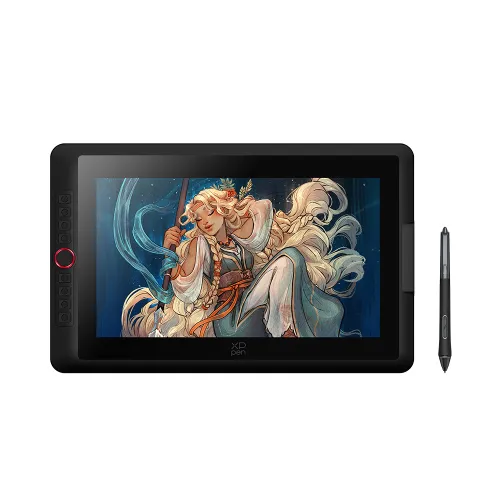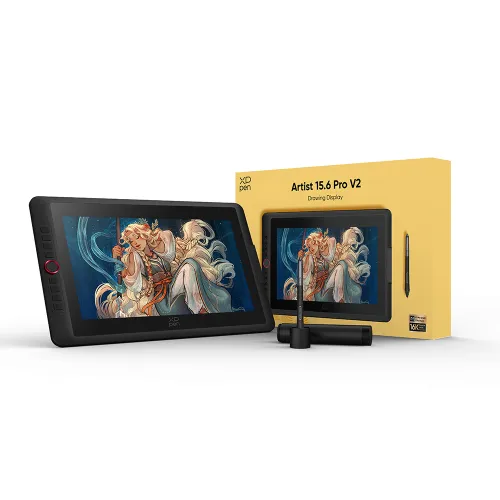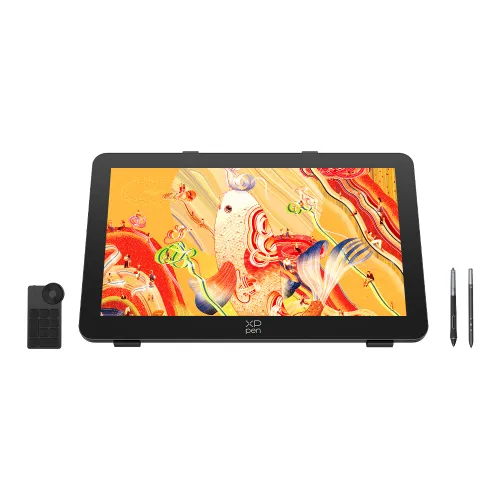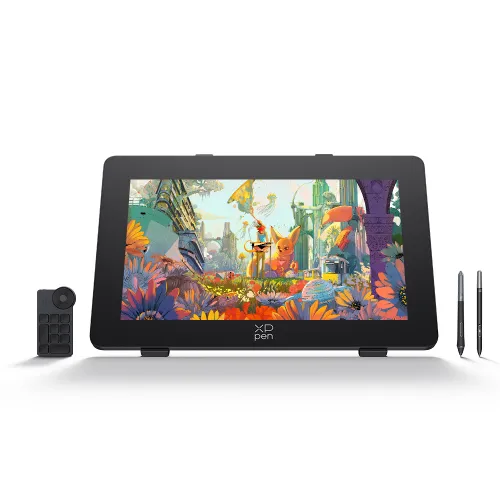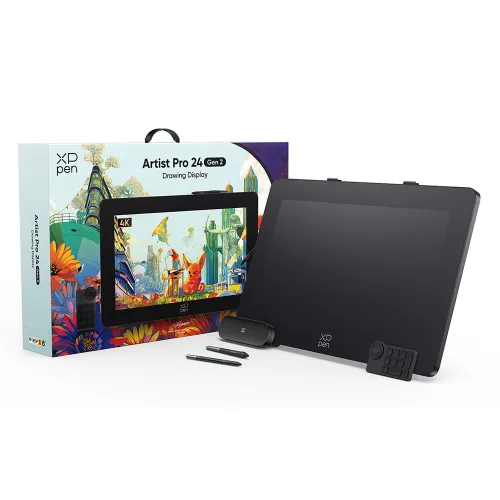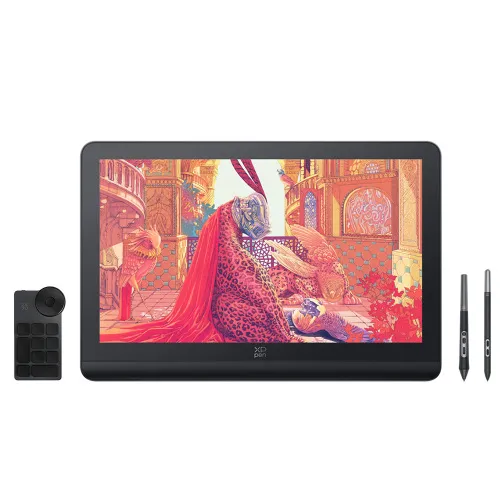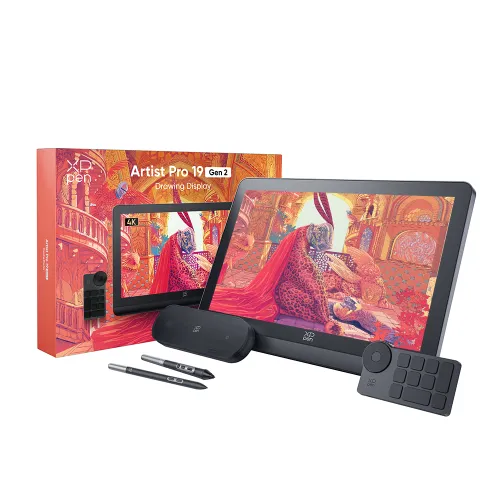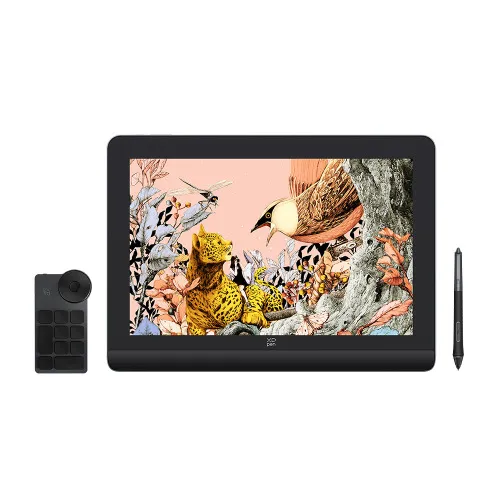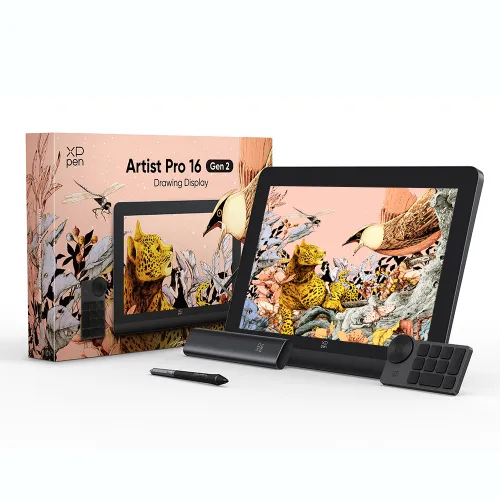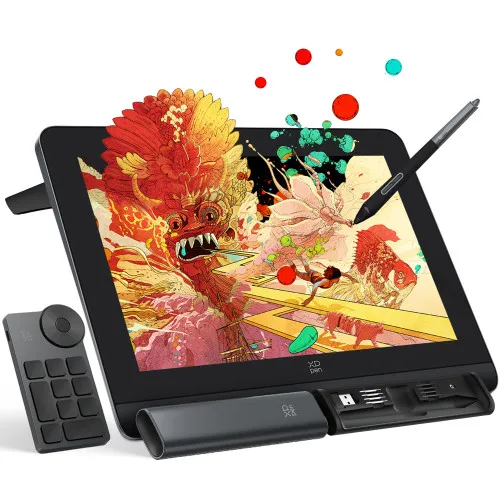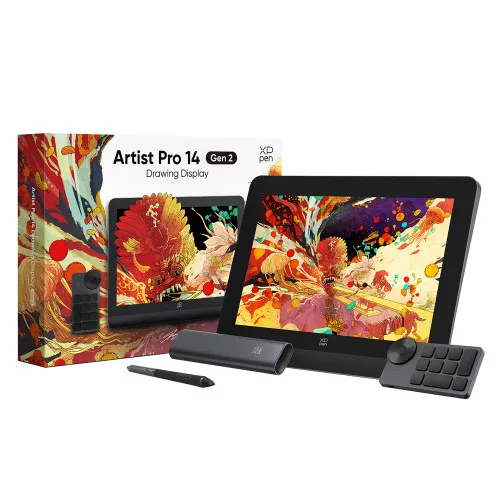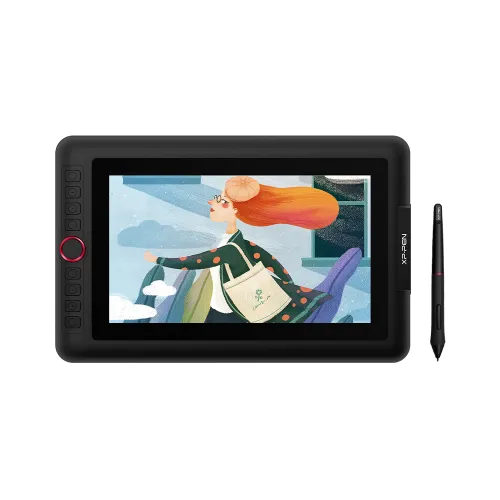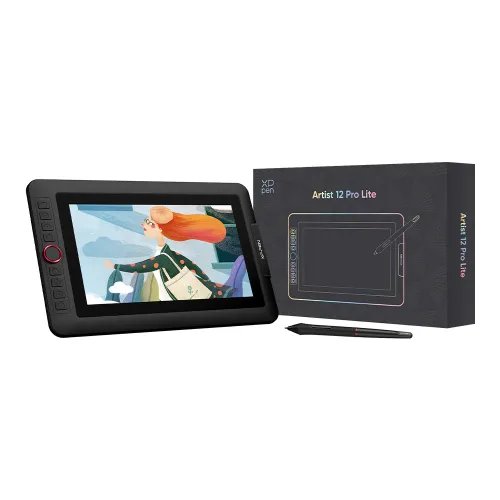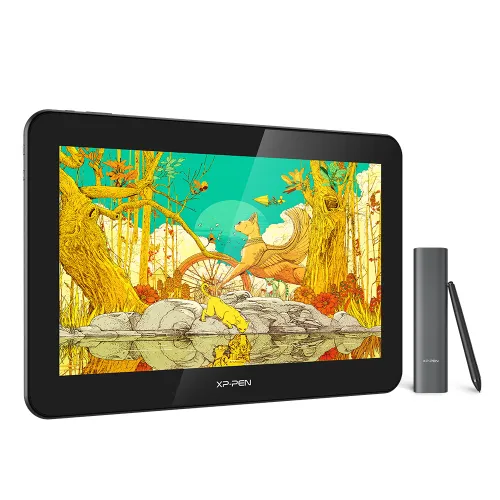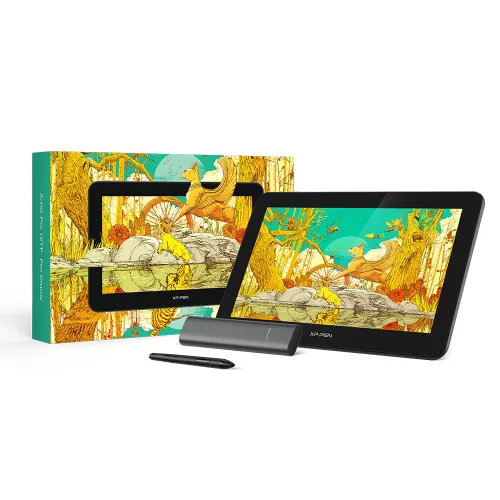
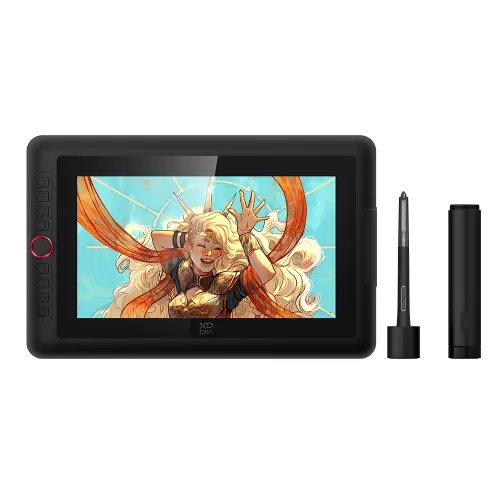
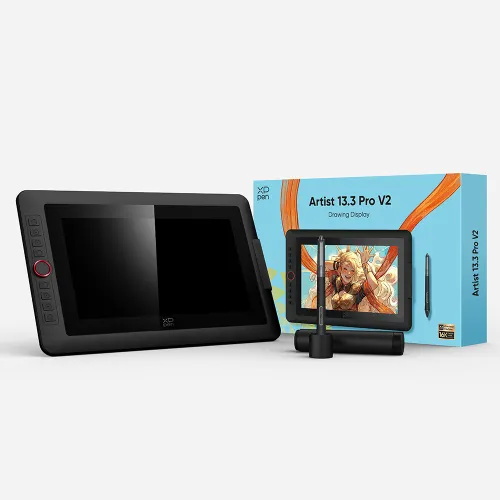
Artist 13.3 Pro

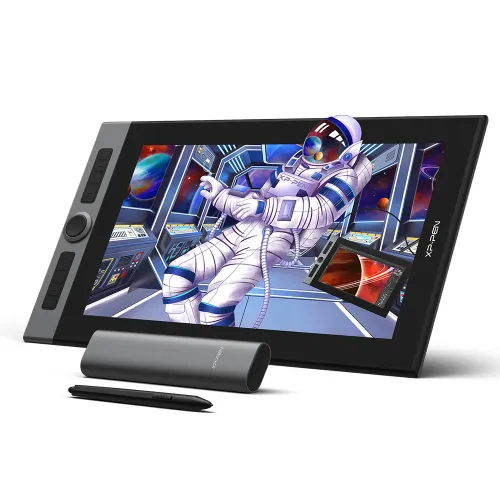
13.3 inch , 60 degrees tilt function, Fully-laminated technology.
88% NTSC / 91% Adobe RGB / 123% sRGB Color Gamut.
battery free
This Product now fully Supports macOS Monterey and Windows 11

£299.99

FAST FREE SHIPPING

Ship from the UK; Free shipping on all orders

24-MONTH-WARRANTY

Hassle-free warranty

QUALITY PURCHASE

30-day money-back guarantee

TECH SUPPORT

Lifetime customer support

Product:
Artist 13.3 Pro

Recommended Accessories

https://resource.xp-pen.com/Uploads/uk/goods/20220815/57887bf0e57bbe30bd73ade465e40c88_60_60.webp

XPPen Extended Warranty 6/12 months 60B

+£15.00£30.00

50% Off
https://resource.xp-pen.com/Uploads/uk/goods/20211106/29f9817958987712ffde4d4eca184979_60_60.webp

AC81 Screen Protector Only For Artist 13.3 Pro

+£16.99£39.99

58% Off
https://resource.xp-pen.com/Uploads/goods/20171115/aad4191ed345b0fde9394d0a024eca79_60_60.webp

AC20 Cable Bag

+£27.99£29.99

7% Off
https://resource.xp-pen.com/Uploads/uk/goods/20200901/5373fd6a089243bc13c63b27a06e739f_60_60.webp

ACJ01 Protective Case For Artist Pro 16, Artist Pro 16TP, Innovator 16, Artist 15.6Pro, Artist 15.6, Artist 13.3Pro

+£36.99£39.99

8% Off
https://resource.xp-pen.com/Uploads/uk/goods/20230706/b891d7b0c7fd31b6bf322763706dbb89_60_60.webp

ACK05 Wireless Shortcut Remote

+£43.99£49.99

12% Off
Learn More

Quantity:

Payment icon 0Payment icon 1Payment icon 2Payment icon 3Payment icon 4Payment icon 5Payment icon 6
seel-icon

Worry-Free Delivery available with seel

Estimate:
image
image

Artist Display 13.3 Pro

Stay one step ahead.

image
image

Portable screen to power your creativity.

A super-portable screen with a 13.3-inch display area and featuring a convenient 3-in-1 cable design. There’s no need to use any adapter and it quickly connects to your computer. Easily place it on your tabletop or anywhere to simplify your work space and power your creativity.

3-in-1 cable

image
image

Creative outside, productive inside.

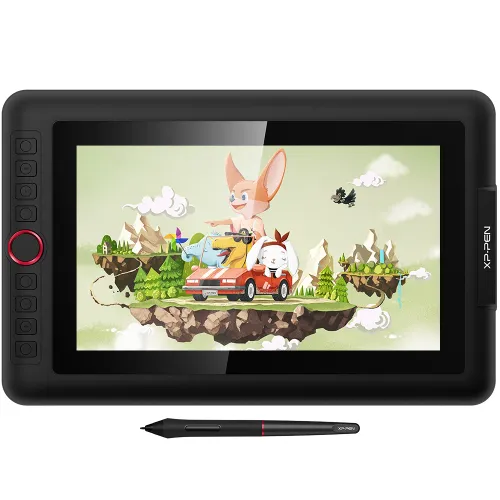
The creative Red Dial interface combines 8 fully customizable shortcut keys, crafted to make your creative workflow as smooth as possible. The red dial fits comfortably in your hand and, together with the shortcut keys, can be programmed for more customization options. Even when switching between software, there’s no need to reset the functions of the shortcut keys and the dial, helping you capture and express your ideas faster and more easily.

image
image

Natural Tilt Support.

The XP-Pen Artist 13.3 Pro supports up to 60 degrees of tilt function, so now you don't need to adjust the brush direction in the software again and again. Simply tilt to add shading to your creation and enjoy smoother and more natural transitions between lines and strokes.

Finer pen nibs

Tilt: 60°

Virtually No Lag

Sensitively Tilt for Shading

image
image

As powerful as it is colorful.

Adopting fully-laminated technology, the Artist 13.3 Pro seamlessly combines the glass and screen, to create a distraction-free working environment. The 13.3 inch fully-laminated FHD Display pairs a superb color accuracy of 88% NTSC (Adobe® RGB≧91%,sRGB≧123%) with a 178-degree viewing angle and delivers rich colors, vivid images, and dazzling details in a wider view. Your creative world is now as powerful as it is colorful.

Virtually no parallax

88% NTSC

178°viewing angle

image
image

Fast, fluid performance.

With up to 8,192 levels of pressure sensitivity, it provides you with increased accuracy and enhanced performance to create the finest sketches and lines, even presenting the nuance of different hairs. Draw and paint naturally and smoothly with our battery-free stylus.

One-click toggle

Right click

See sharper and create better.

The XP-Pen Artist 13.3 Pro comes with a replaceable anti-glare optical film, featuring high transparency and scratch resistance that reduces glare while keeping your screen crisp and clear even bright light.

Scratch resistance

Anti-glare

High transparency

image

See sharper and create better.

The XP-Pen Artist 13.3 Pro comes with a replaceable anti-glare optical film, featuring high transparency and scratch resistance that reduces glare while keeping your screen crisp and clear even bright light.

Scratch resistance

Anti-glare

High transparency

image
image

Accessories to match your Artist 13.3 Pro.

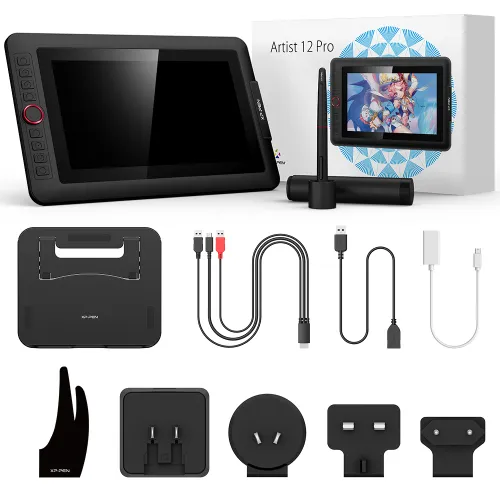
Included with the Artist 13.3 Pro, the portable stand prevents shaking or sliding and relieves eye fatigue and hand stiffness. The multi-function pen holder keeps your pen and pen nibs safe and doubles as a pen stand or pen holder.

A screen size comparable to your laptop.

The Artist 13.3 Pro comes with a 13.3 inch display screen, which is the closest size proportion to your daily-use laptop, so you can take this familiar partner anywhere easily in your creative journey. Create directly onto its fully-laminated FHD display, ideal for drawing, animation, photography, fashion, architecture design, and much more. With the Artist 13.3 Pro, your creativity will always be one step ahead!

13-Inch MacBook Pro

13.3-Inch Artist 13.3 Pro

XP-Pen Artist 13.3 Pro good cheap drawing tablet Compatible with popular digital art software , Windows and Mac OS

Versatility and Compatibility.

Supports Windows® 10/8/7(32/64bit), Linux (Detailed versions), Mac OS X® 10.10 and higher. Compatible with popular digital art software such as Adobe® Photoshop®, Illustrator®, SAI®, CDR®, GIMP®, Krita®, Medibang®, Fire Alpaca®, Blender® 3Dand more.

digital sketching,drawing ,animation ,painting and editing photos with XP-Pen Artist 13.3 Pro Screen graphics Tablet
image
image

Specification:

Technology:Electromagnetic
Dimension:390.4mm(L)*249.98mm(W)*12.9mm(H)
Display Area:293.76mm(H) x 165.24mm(V)
Display Resolution:1920x1080 pixels
Color Gamut:88% NTSC , Adobe® RGB≧91%,sRGB≧123%
Shortcut Keys:8
Roller wheel:1
Response Time:14ms
Pixel Pitch:0.153 * 0.153mm
Color Displays:16.7M
Contrast Ratio:1000:1
Viewing Angle:178°
Pressure Levels:8,192
Tilt:60Degrees
Report Rate:≧220
Resolution:5080 LPI
Accuracy:±0.01inch(center)
Reading Height:10mm
Supply Voltage:DC 5V
USB Interface:USB
Current consumption:2A
Power Consumption:10W
Compatibility:Windows® 10/8/7 (32/64bit), Linux (Detailed versions), Mac OS X® 10.10  and higher.

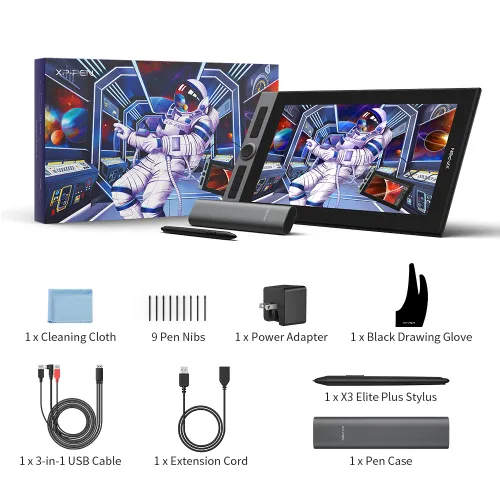
Package Included:

1 x 13.3 Inch Display

1 x Battery-free Stylus

1 x Portable Stand

1 x Cleaning cloth

1 x Pen Holder

1 x Quick Guide

8 x Replacement Pen Nibs

1 x 3-in-1 USB Cable

1 x USB Extension Cord

1 x Black Drawing Glove

1 x Power Adapter

image
Getting started with your
XP-Pen Artist display
Learn more >
image
All Artist displays come
with one free creative software
Learn more >

PS: Product has to be connected to a PC when running.

Linux OSVersionPackage FormatSupported Software
ArchArch Linux2019.12.01(64-bit).deb, .shGIMP, Krita
CentosCentos7.0(64-bit).rpm, .shGIMP
Centos8(64-bit).rpm, .shGIMP, Krita
Debiandebian-9.5.0-amd64-netinst(64-bit).deb, .shGIMP, Krita
elementary OSelementary OS 5.0(64-bit).deb, .shGIMP, Krita
ezgo Linuxezgo14(64-bit).deb, .shGIMP, Krita
FedoraFedora32(64-bit).rpm, .shGIMP, Krita
MageiaMageia-7.1(64-bit).rpm, .shGIMP, Krita
Manjaromanjaro-xfce-20.1.2-201019(64-bit).deb, .shGIMP
Mintlinuxmint-18.2-cinnamon-64bit.deb, .shGIMP, Krita
OpenSUSEopenSUSE-Tumbleweed(64-bit).rpm, .shGIMP, Krita
Pop!_OSpop-os_19.10(64-bit).deb, .shGIMP, Krita
Red HatRed Hat7(64-bit).rpm, .shGIMP
UbuntuUbuntu14.04(64-bit).deb, .shGIMP, Krita
Ubuntu16.04(64-bit).deb, .shGIMP, Krita
Ubuntu17.04(64-bit).deb, .shGIMP, Krita
Ubuntu18.04(64-bit).deb, .shGIMP, Krita
Ubuntu19.04(64-bit).deb, .shGIMP, Krita
Ubuntu20.04(64-bit).deb, .shGIMP, Krita
FunctionKrita 4.3.0Gimp 2.10.20Inkscape 0.92
Pen Pressure Sensitivity
Tilt
Mouse Function
Eraser Button
(Stylus:PH01, P06)
Switch between Pen
and Eraser Modes
*If you have any further queries, please do not hesitate to contact us at service@xp-pen.com.

Linux OS

Arch
Version
Arch Linux2019.12.01(64-bit)
Package Format
.deb, .sh
Supported Software
GIMP, Krita
Centos
Version
Centos7.0(64-bit)
Centos8(64-bit)
Package Format
.rpm, .sh
.rpm, .sh
Supported Software
GIMP
GIMP, Krita
Debian
Version
debian-9.5.0-amd64-netinst(64-bit)
Package Format
.deb, .sh
Supported Software
GIMP, Krita
elementary OS
Version
elementary OS 5.0(64-bit)
Package Format
.deb, .sh
Supported Software
GIMP, Krita
ezgo Linux
Version
ezgo14(64-bit)
Package Format
.deb, .sh
Supported Software
GIMP, Krita
Fedora
Version
Fedora32(64-bit)
Package Format
.rpm, .sh
Supported Software
GIMP, Krita
Mageia
Version
Mageia-7.1(64-bit)
Package Format
.rpm, .sh
Supported Software
GIMP, Krita
Manjaro
Version
manjaro-xfce-20.1.2-201019(64-bit)
Package Format
.deb, .sh
Supported Software
GIMP
Mint
Version
linuxmint-18.2-cinnamon-64bit
Package Format
.deb, .sh
Supported Software
GIMP, Krita
OpenSUSE
Version
openSUSE-Tumbleweed(64-bit)
Package Format
.rpm, .sh
Supported Software
GIMP, Krita
Pop!_OS
Version
pop-os_19.10(64-bit)
Package Format
.deb, .sh
Supported Software
GIMP, Krita
Red Hat
Version
Red Hat7(64-bit)
Package Format
.rpm, .sh
Supported Software
GIMP
Ubuntu
Version
Ubuntu14.04(64-bit)
Ubuntu16.04(64-bit)
Ubuntu17.04(64-bit)
Ubuntu18.04(64-bit)
Ubuntu19.04(64-bit)
Ubuntu20.04(64-bit)
Package Format
.deb, .sh
.deb, .sh
.deb, .sh
.deb, .sh
.deb, .sh
.deb, .sh
Supported Software
GIMP, Krita
GIMP, Krita
GIMP, Krita
GIMP, Krita
GIMP, Krita
GIMP, Krita

Function

Pen Pressure Sensitivity
Krita 4.3.0
Gimp 2.10.20
Inkscape 0.92
Tilt
Krita 4.3.0
Gimp 2.10.20
Inkscape 0.92
Mouse Function
Krita 4.3.0
Gimp 2.10.20
Inkscape 0.92
Eraser Button(Stylus:PH01, P06)
Krita 4.3.0
Gimp 2.10.20
Inkscape 0.92
Switch between Penand Eraser Modes
Krita 4.3.0
Gimp 2.10.20
Inkscape 0.92

*If you have any further queries, please do not hesitate to contact us at service@xp-pen.com.

Reviews
4.6
11111
Based on 13
11111
62%(8)
11111
38%(5)
11111
0(0)
11111
0(0)
11111
0(0)
XFANS2ndxldv1
11111
May 24 ,2021 PM 17:40 Artist 13.3 Pro
Excellent product at a highly competetive price.
The tablet arrived after 2 days, really impressed with that. I have to say the general build quality and feel is superb for the price, it easily compares with the market leader at only a a fraction of the price. The shortcut keys are very useful and easy to set up and the colour resolution is excellent, being both clear and precise. I found the parallax was the only slight issue but after using it for a few hours it goes unnoticed as the item itself is so powerful and impressive that it's easy to lose yourself whilst using it. On the whole great value and excellent quality, highly portable and would easily stand up to professional and hobby usage.
Useful(0)+1
Robert Fallows
11111
May 12 ,2020 PM 22:05 Artist 13.3 Pro
Xp-Pen Artist13.3 Pro new user
We have now had the drawing pad for just over a week and have been very impressed with it. The build quality is excellent and the screen/pen combo very responsive. Works very well with a wide range of software, my son has been using Sketchbook pro to develop his drawing skills, whilst I have been using to teach online lessons For the money an excellent purchase. Would recommend
Useful(0)+1
Nicole Simpkin
11111
May 15 ,2020 AM 05:33 Artist 13.3 Pro
Very good quality product
The tablet is a good size and can be used at a desk or on your lap, and the fact there's only one main wire makes it very convenient. Compared to the price of top range tablets out there, this is a bargain and I am pleased with the purchase. Delivery was good, and had no issues, and the customer service team were very responsive and helpful. The only negative I have is that I got a bit confused with the setup for the tablets driver program, but that could be due to my inexperience, and other than that the device runs smoothly and is great to use. Would recommend.
Useful(0)+1
Learn More
Q & A
XFANSy4rpzxor
Oct 03 ,2024 PM 13:37 Artist 13.3 Pro
Is this tablet still good for drawing in 2024?
Reply0
XFANS4k5aopus
May 11 ,2023 PM 16:30 Artist 13.3 Pro
Hi, can i use google Chromebook with this Artist 13.3 pro? or it need windows/IOS only? Thanks
Reply1
XFANSp4e7nmdv
Aug 18 ,2024 AM 02:39
No you will need to use Windows buy you can find tablets compatible with Chromebooks here: https://www.xp-pen.com/drawing-tablets-for-chromebook.html#:~:text=The%20XPPen%20stylus%20offers%20the,on%20your%20Chromebook%20with%20ease.
Reply to this review
XFANSq8kx16c6
Sep 18 ,2022 PM 15:10 Artist 13.3 Pro
When will this product be restocked? Thank you.
Reply1
Official mall
Sep 18 ,2022 PM 15:39
Dear Customer, Hi,usually it takes like a month. Best Regards
Reply to this review
XFANS3bxk5nzd
Jan 05 ,2022 PM 21:18 Artist 13.3 Pro
Hi my payment isn't going through do you have anything to suggest what to do?
Reply1
Official mall
Feb 17 ,2022 PM 18:18
Hello, Could you please send us the order number? We will check the reason caused that issue. shopuk@xp-pen.com Have a nice day. Sincerely
Reply to this review
XFANSx6n0558n
Sep 27 ,2021 AM 04:32 Artist 13.3 Pro
Do you have screenshots for the Linux driver/config app? It would be really nice to know what features/options are available. It would also be really cool to know if there are any plans for future additions to the Linux app...
Reply1
Official mall
Sep 27 ,2021 PM 14:57
Please bring your question to the service@xp-pen.com, the technician can give you more details you want. Thanks:-)
Reply to this review
XFANSx6n0558n
Sep 27 ,2021 AM 04:30 Artist 13.3 Pro
Can this (or any other XP-Pen Display) be used with a USB-c to USB-c cable (on a USB-C port with display function)?
Reply2
See more answers(1)
Official mall
Sep 27 ,2021 PM 14:53
Sorry, the Artist 13.3 Pro can\'t support USB-C to USB-C. These products have this function: Artist 12(2nd Gen) : The USB-C cable should be purchased separately. Artist 24 Artist Pro 16TP Artist 22 (2nd Generation) Artist 24 Pro Artist 22R Pro
Reply to this review
XFANSzst326oo
Sep 22 ,2021 AM 03:37 Artist 13.3 Pro
Where does it ship from?
Reply1
Official mall
Sep 23 ,2021 AM 11:48
Usually ship from UK.
Reply to this review
XFANS5vodsca3
Sep 16 ,2021 PM 23:30 Artist 13.3 Pro
Hi Can you tell me how to connect this Pen Display to a 27" iMac as it does not have a HDMI port. iMac only has a small DisplayPort
Reply1
Official mall
Sep 18 ,2021 PM 14:20
Hello, Could you please send us a photo of port on your iMac? Email: Serena@xp-pen.com
Reply to this review
XFANSu74jlna9
Aug 23 ,2021 AM 00:30 Artist 13.3 Pro
Does this require a laptop or computer to use? can it be used on its own to draw with?
Reply1
Official mall
Aug 23 ,2021 PM 17:00
Sorry, It can\'t be used on its own. All the drawings should be finished with a laptop or computer.
Reply to this review
Katie Lee
Oct 24 ,2020 AM 00:37 Artist 13.3 Pro
How thick is the pen display?
Reply1
Official mall
Oct 26 ,2020 AM 09:43
Hi, the thickness is 12.9 mm. Thank you so much : )
Reply to this review
Learn More
Payment icon 0Payment icon 1Payment icon 2Payment icon 3Payment icon 4Payment icon 5Payment icon 6

Copyright© 2025 HANVON UGEE (HK) TECHNOLOGY CO., LIMITED All Rights Reserved.