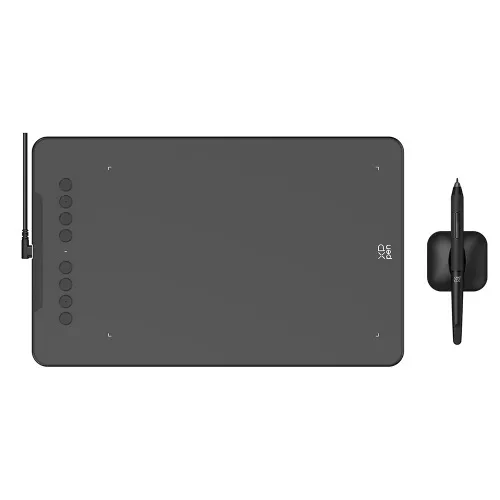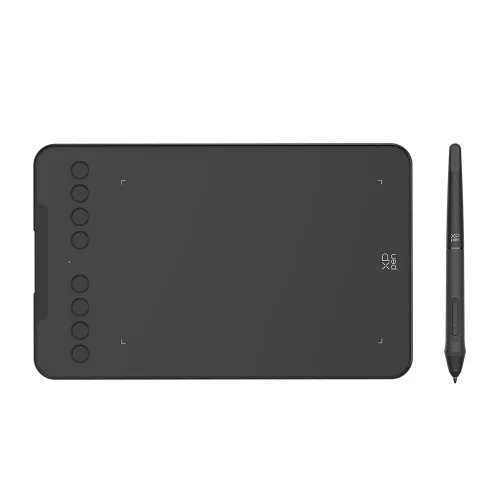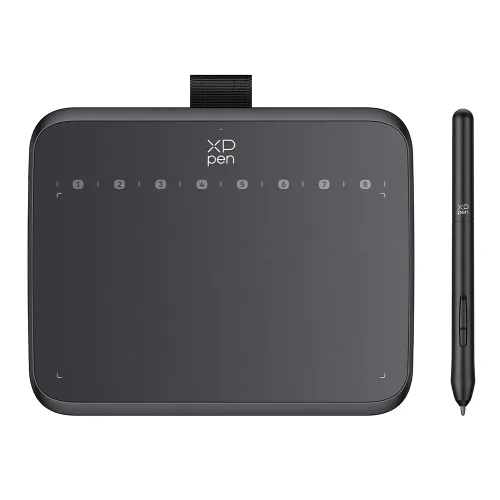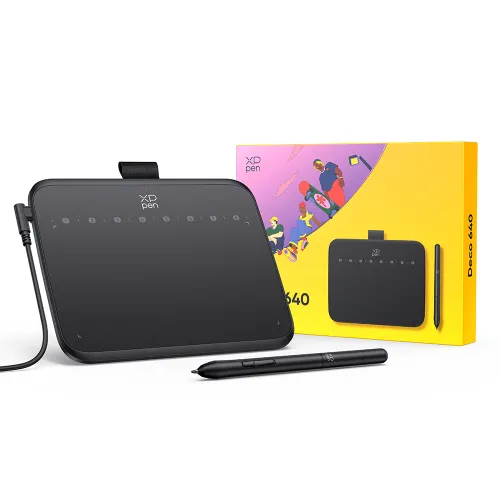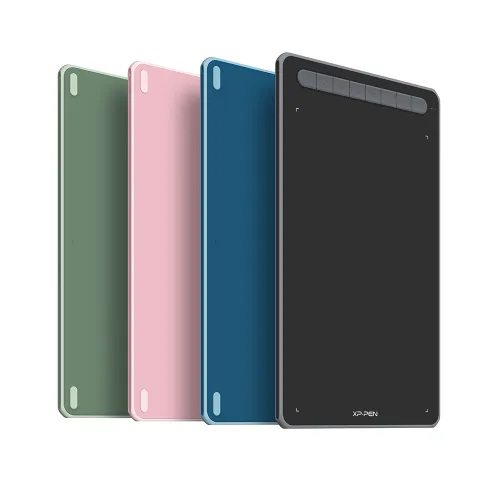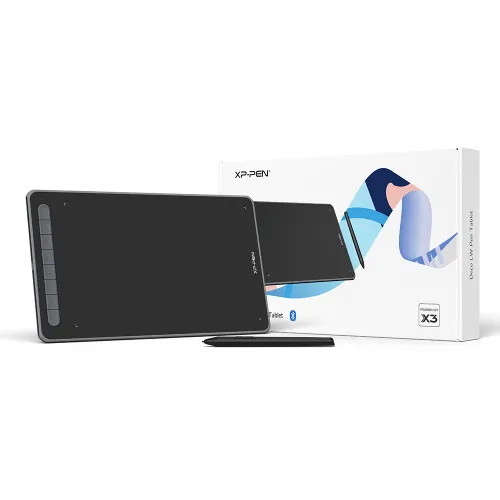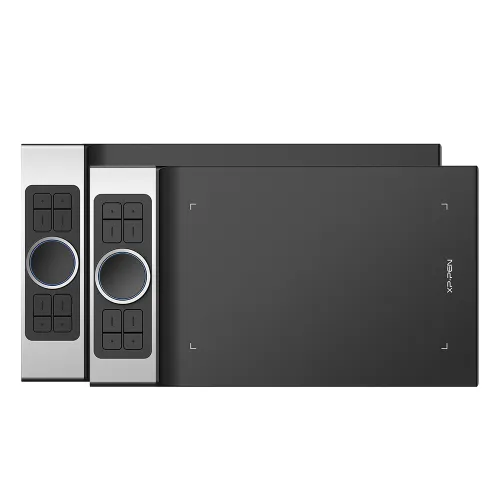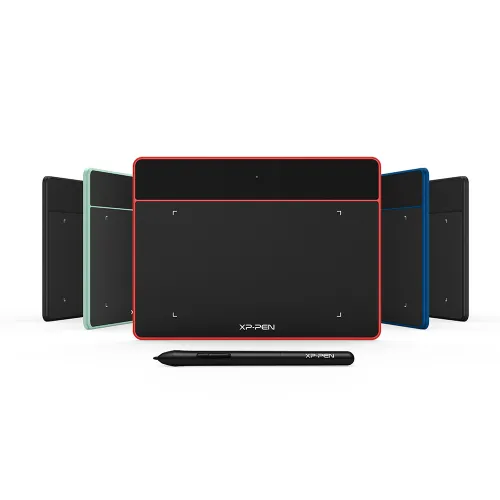

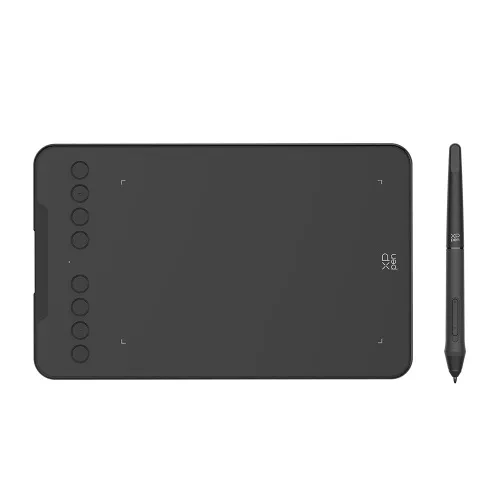
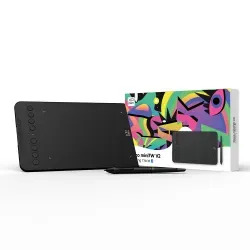
Deco mini 7 Wireless

2.4 GHz wireless technology, USB-C to USB-C connection.
EMR Stylus Support Tilt and Pressure Function.
7 x 4.37 inches working area, 8 customizable shortcut keys .

£44.99

FAST FREE SHIPPING

Ship from the UK; Free shipping on all orders

24-MONTH-WARRANTY

Hassle-free warranty

QUALITY PURCHASE

30-day money-back guarantee

TECH SUPPORT

Lifetime customer support

ESSENTIAL_ACCESSORIES

https://resource.xp-pen.com/Uploads/uk/goods/20220418/1f221fa59def3b27c5fd406916b91a1f_200_200.webp

Paper-like Protector Film For Deco mini 7/Deco mini 7W (2 pack)

+£15.99£19.99

20% Off
https://resource.xp-pen.com/Uploads/uk/goods/20220209/7c5ceba5e907cfab786d77ac427afc82_200_200.webp

XPPen Sleeve Case ACJ08/ACJ09

+£16.99£19.99

15% Off
https://resource.xp-pen.com/Uploads/goods/20180913/a57fbb14d888e274afaa2d2a0d7f212e_200_200.webp

AC08 Drawing Glove S/M/L Size

+£3.99£7.99

50% Off

QUANTITY:

Payment icon 0Payment icon 1Payment icon 2Payment icon 3Payment icon 4Payment icon 5Payment icon 6
seel-icon

Worry-Free Delivery® available with seel

ESTIMATED:
image

Deco mini7W

Create anytime,
anywhere
Watch the video >

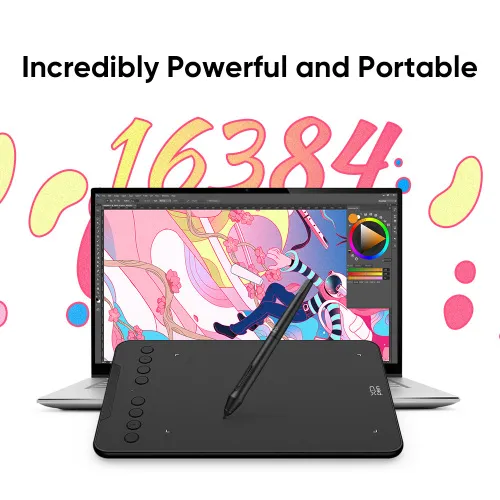
Unbelievably portable and
incredibly powerful

Enjoy powerful performance from a portable tablet. With the super affordable Deco mini7W, you can capture inspiration as it strikes and have your ideas with you at all times.

imageimage

Embrace wireless technology

Creativity shouldn’t be limited by wires. The Deco mini7W's 2.4 GHz wireless technology allows you to create with both speed and freedom.

image

No task or idea is too big

The Deco mini7W is small in size but not in power storage capacity. The tablet's super-long battery life delivers no matter how many tasks and ideas you have.

Work Time ≥ 10 hours

Standby Time ≥ 15 days

image

No task or idea is too big

The Deco mini7W is small in size but not in power storage capacity. The tablet's super-long battery life delivers no matter how many tasks and ideas you have.

image

Work Time ≥ 10 hours

image

Standby Time ≥ 15 days

image
image

Work smoothly

The easy-to-use Deco mini7W allows ideas to flow freely. Customize your shortcut keys to tailor your own unique experience.

Fulfil your creative needs

The Deco mini7W comes with a Battery-Free Passive Stylus P05D that lasts for long hours, allowing you to create without interruption. The stylus also supports up to 60 degrees of tilt action, making shading easy and effective.

imageimage

No need charging

No battery

Tilt

Exquisite expression

With up to 8,192 pressure sensitivity levels, the stylus creates natural-looking lines of various widths, allowing you to produce exquisite strokes with ease.

image

Create with freedom

The Deco mini7W is portable and supports connections with Android tablets and mobile phones, enabling you to express yourself with freedom.

View More

Connect your devices with ease

The Deco mini7W comes equipped with a USB-C port, meaning that can directly connect your iMac, MacBook Pro, or Windows computer to your tablet.

image

Enhance your Chromebook experience

You can now use Chrome OS on your XP-PEN Deco mini7W, allowing you to write and create digitally effortlessly. You can then share and collaborate with teachers and classmates, creating an interactive class atmosphere even in a virtual learning environment. The stylus offers the functionality of a standard mouse, meaning that you can write, edit, draw and navigate on your Chromebook with ease.

image

Extensive compatibility

The XP-PEN Deco mini7W is compatible with Windows® 10/8/7, Linux (Detailed versions), Mac OS X 10.10 (and higher), and Android 6.0 (and higher), and Chrome OS 88.0.4324.109. The tablet also works with major software, including Photoshop®, SAI®, Painter®, Illustrator®, Clip Studio®,GIMP®, Medibang®, Krita®, Fire Alpaca®, and Blender® 3D.
* Please update your Chrome OS to 88.0.4324.109 first.

image

Product Gallery

image
image
image
image
image
image
image
image
image
  • Specifications

image

260.2 x 162.2 x 9.3mm

image

8 Shortcut Keys

image

2.4GHz
Work Time ≥ 10 hours

Tilt

image

Battery-free Stylus

image

8192 levels

  • Show more

image
Getting started with your
XP-Pen Deco Tablet
Learn more >
image
All Deco tablets come
with one free creative software
Learn more >
Linux OSVersionPackage FormatSupported Software
ArchArch Linux2019.12.01(64-bit).deb, .shGIMP, Krita
CentosCentos7.0(64-bit).rpm, .shGIMP
Centos8(64-bit).rpm, .shGIMP, Krita
Debiandebian-9.5.0-amd64-netinst(64-bit).deb, .shGIMP, Krita
elementary OSelementary OS 5.0(64-bit).deb, .shGIMP, Krita
ezgo Linuxezgo14(64-bit).deb, .shGIMP, Krita
FedoraFedora32(64-bit).rpm, .shGIMP, Krita
MageiaMageia-7.1(64-bit).rpm, .shGIMP, Krita
Manjaromanjaro-xfce-20.1.2-201019(64-bit).deb, .shGIMP
Mintlinuxmint-18.2-cinnamon-64bit.deb, .shGIMP, Krita
OpenSUSEopenSUSE-Tumbleweed(64-bit).rpm, .shGIMP, Krita
Pop!_OSpop-os_19.10(64-bit).deb, .shGIMP, Krita
Red HatRed Hat7(64-bit).rpm, .shGIMP
UbuntuUbuntu14.04(64-bit).deb, .shGIMP, Krita
Ubuntu16.04(64-bit).deb, .shGIMP, Krita
Ubuntu17.04(64-bit).deb, .shGIMP, Krita
Ubuntu18.04(64-bit).deb, .shGIMP, Krita
Ubuntu19.04(64-bit).deb, .shGIMP, Krita
Ubuntu20.04(64-bit).deb, .shGIMP, Krita
FunctionKrita 4.3.0Gimp 2.10.20Inkscape 0.92
Pen Pressure Sensitivity
Tilt
Mouse Function
Eraser Button
(Stylus:PH01, P06)
Switch between Pen
and Eraser Modes
*If you have any further queries, please do not hesitate to contact us at service@xp-pen.com.

Linux OS

Arch
Version
Arch Linux2019.12.01(64-bit)
Package Format
.deb, .sh
Supported Software
GIMP, Krita
Centos
Version
Centos7.0(64-bit)
Centos8(64-bit)
Package Format
.rpm, .sh
.rpm, .sh
Supported Software
GIMP
GIMP, Krita
Debian
Version
debian-9.5.0-amd64-netinst(64-bit)
Package Format
.deb, .sh
Supported Software
GIMP, Krita
elementary OS
Version
elementary OS 5.0(64-bit)
Package Format
.deb, .sh
Supported Software
GIMP, Krita
ezgo Linux
Version
ezgo14(64-bit)
Package Format
.deb, .sh
Supported Software
GIMP, Krita
Fedora
Version
Fedora32(64-bit)
Package Format
.rpm, .sh
Supported Software
GIMP, Krita
Mageia
Version
Mageia-7.1(64-bit)
Package Format
.rpm, .sh
Supported Software
GIMP, Krita
Manjaro
Version
manjaro-xfce-20.1.2-201019(64-bit)
Package Format
.deb, .sh
Supported Software
GIMP
Mint
Version
linuxmint-18.2-cinnamon-64bit
Package Format
.deb, .sh
Supported Software
GIMP, Krita
OpenSUSE
Version
openSUSE-Tumbleweed(64-bit)
Package Format
.rpm, .sh
Supported Software
GIMP, Krita
Pop!_OS
Version
pop-os_19.10(64-bit)
Package Format
.deb, .sh
Supported Software
GIMP, Krita
Red Hat
Version
Red Hat7(64-bit)
Package Format
.rpm, .sh
Supported Software
GIMP
Ubuntu
Version
Ubuntu14.04(64-bit)
Ubuntu16.04(64-bit)
Ubuntu17.04(64-bit)
Ubuntu18.04(64-bit)
Ubuntu19.04(64-bit)
Ubuntu20.04(64-bit)
Package Format
.deb, .sh
.deb, .sh
.deb, .sh
.deb, .sh
.deb, .sh
.deb, .sh
Supported Software
GIMP, Krita
GIMP, Krita
GIMP, Krita
GIMP, Krita
GIMP, Krita
GIMP, Krita

Function

Pen Pressure Sensitivity
Krita 4.3.0
Gimp 2.10.20
Inkscape 0.92
Tilt
Krita 4.3.0
Gimp 2.10.20
Inkscape 0.92
Mouse Function
Krita 4.3.0
Gimp 2.10.20
Inkscape 0.92
Eraser Button(Stylus:PH01, P06)
Krita 4.3.0
Gimp 2.10.20
Inkscape 0.92
Switch between Penand Eraser Modes
Krita 4.3.0
Gimp 2.10.20
Inkscape 0.92

*If you have any further queries, please do not hesitate to contact us at service@xp-pen.com.

REVIEWS
5.0
starstarstarstarstar
BASE_ON_REVIEWS
starstarstarstarstar
100%(2)
starstarstarstarstar
0(0)
starstarstarstarstar
0(0)
starstarstarstarstar
0(0)
starstarstarstarstar
0(0)
AzizAhmed
starstarstarstarstar
Jul 16 ,2024 AM 05:53 Deco mini 7 Wireless
Amazing
Iv not drawn much in around 3 years so I wanted a tablet which would get me back into it comfortably and allow me to relearn my lost skills. This tablet has served me so well that I think I might keep it as a full time tool. Its wireless connectivity is and its wired performance is even better, both with little to no delay. Thank you XP-Pen for this great product.
USEFUL(1)+1
duncan platt
starstarstarstarstar
Jan 27 ,2021 PM 20:24 Deco mini 7 Wireless
XP Pen Deco Mini 7W
I have recently obtained the pen to use for online teaching. I am a London based teacher in a secondary school and am remote teaching due to Covid-19 restrictions. I wanted something to interact with Google classroom to improve the live aspect of my lessons. The initial set up was straightforward and I connected to my laptop via the USB. I later tested the wireless function which proved seamless. I have had a couple of attempts with Teachermade and Kami and am now confident to use on the Google meet lessons. Very pleased with my purchase and would recommend to other teachers who need to participate in live lessons
USEFUL(0)+1
Q_A
XFANS2ijwjowi
Feb 27 ,2023 AM 03:40 Deco mini 7 Wireless
Can I connect this tablet to an iPhone and will it work on Procreate?
REPLY0
XFANSo4j4sezr
Mar 05 ,2022 AM 09:03 Deco mini 7 Wireless
does this product support the new m1 mac?
REPLY0
XFANS1m6q68j3
Jul 02 ,2021 AM 04:39 Deco mini 7 Wireless
Hello! Is this tablet currently in stock and does it support imac?
REPLY1
Official mall
Jul 02 ,2021 AM 09:49
Hi, it\'s in stock. It supports Mac OS 10.10 and above system.
REPLY_THIS_EVALUATION
Payment icon 0Payment icon 1Payment icon 2Payment icon 3Payment icon 4Payment icon 5Payment icon 6

Copyright© 2025 HANVON UGEE (HK) TECHNOLOGY CO., LIMITED All Rights Reserved.

Payment icon 0Payment icon 1Payment icon 2Payment icon 3Payment icon 4Payment icon 5Payment icon 6